Founders launching a first version
Get a real, store-ready app in front of users sooner, and spend the budget on the features that prove the idea.
02Mobile App Development · FlutterFlow Development
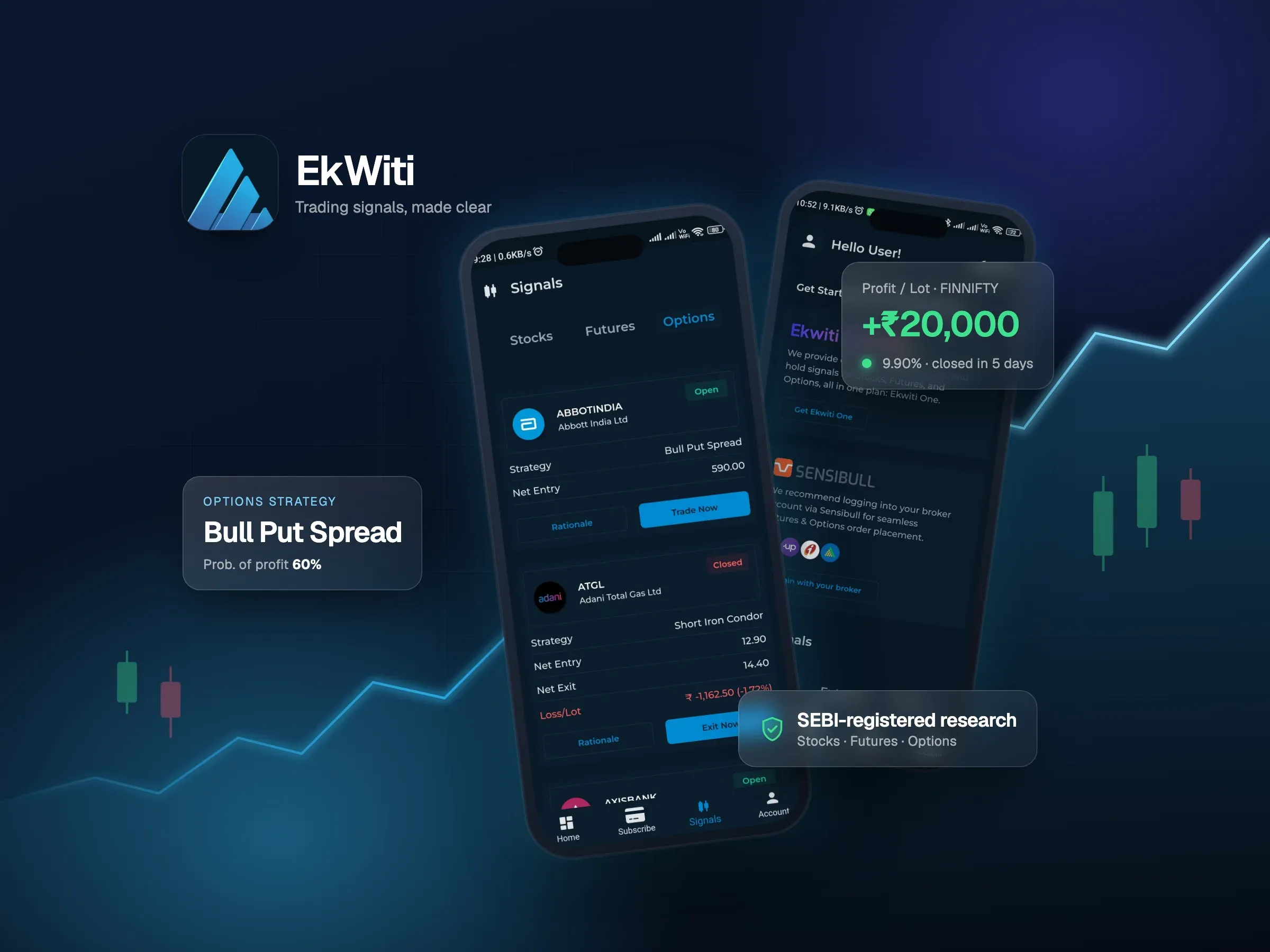
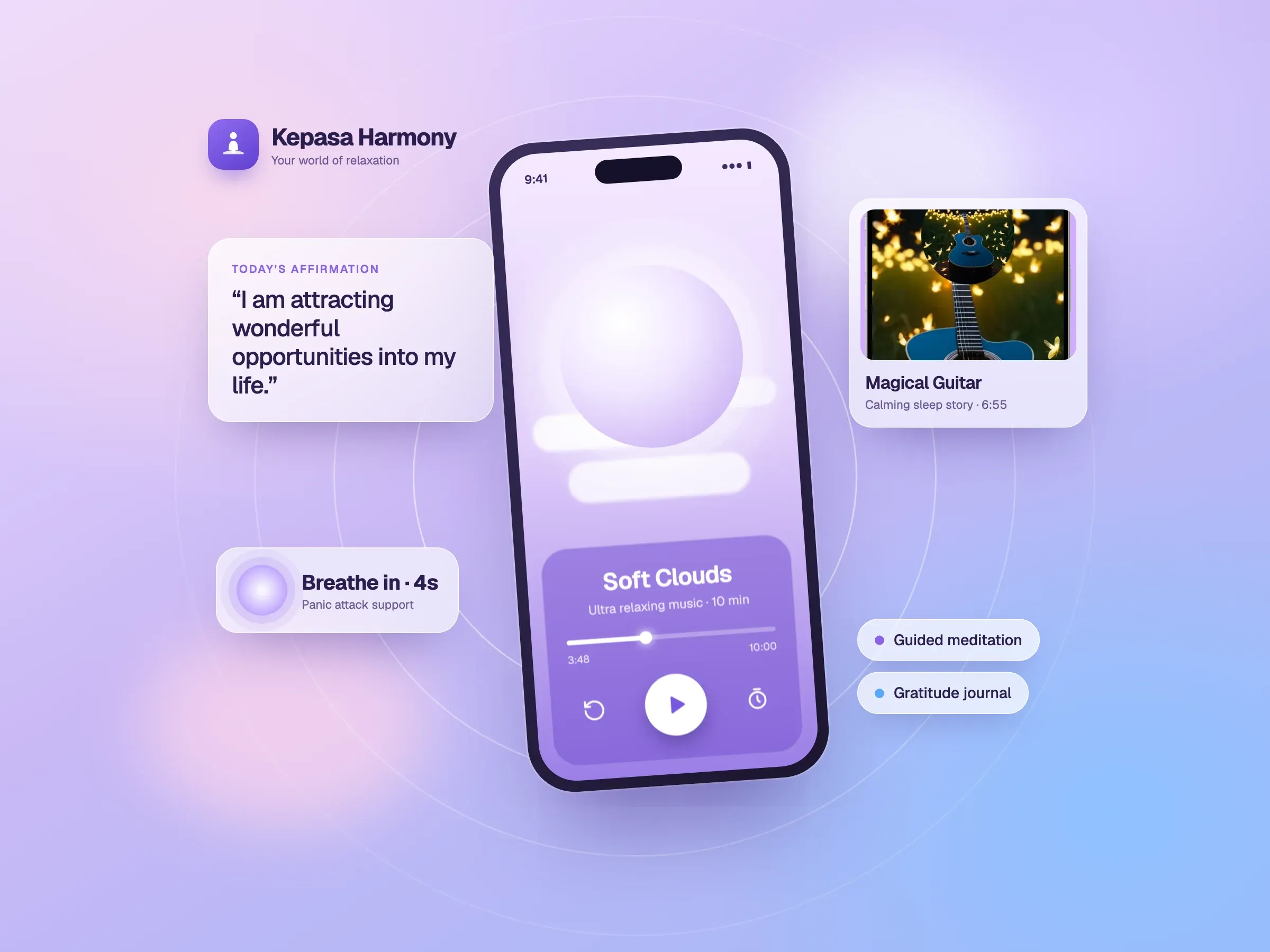
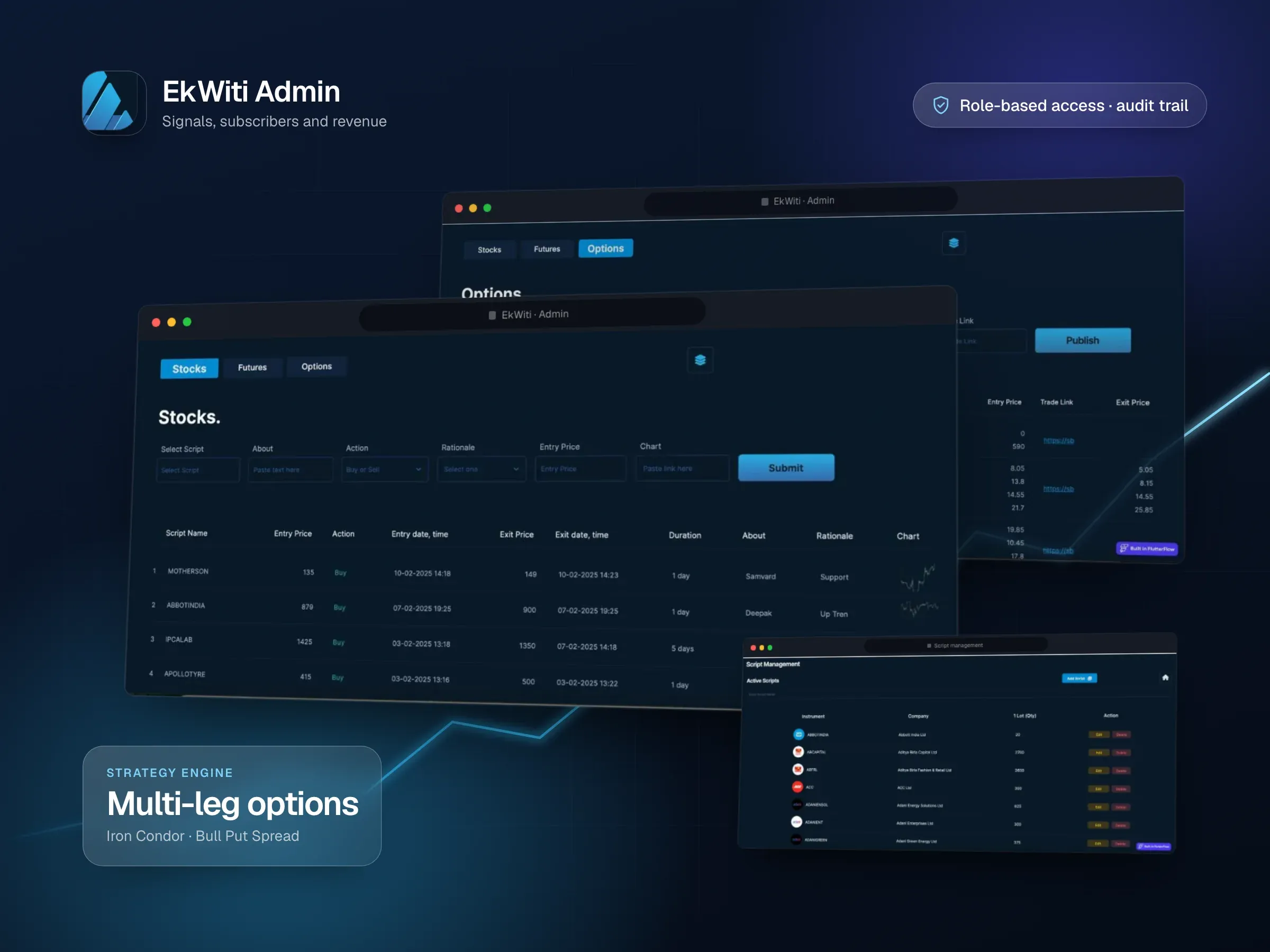
We use FlutterFlow to get polished iOS, Android and web apps to market quickly, backed by Firebase, and we write custom Flutter code wherever the visual builder isn't enough. The EkWiti trading app, its admin panel and the Kepasa Harmony meditation app were all built this way.
Get a real, store-ready app in front of users sooner, and spend the budget on the features that prove the idea.
A customer app and the admin panel that runs it, in one toolset, sharing the same Firebase data.
When the builder won't do what you need, or the project has grown messy, we review it and get it moving again.
Screens, navigation and data wiring are built visually, so the first release reaches users faster than hand-coding every screen.
Sign-in, Firestore data, Cloud Functions and push notifications set up properly, with security rules that protect your users' data.
Payments, third-party APIs and anything the visual tools can't do are written as custom Flutter code inside the project.
The project stays yours, and the Flutter code can be exported if the app ever needs to move to a fully hand-coded codebase.
FlutterFlow is a visual builder for Flutter apps. Screens are designed by arranging components, connected to data and actions, and FlutterFlow generates the Flutter code that runs on iOS, Android and the web. Because so much of a typical app is standard screens, building them visually saves weeks and keeps the budget for the parts that make your app different.
It works best with Firebase, which gives you sign-in, a real-time database, file storage, server functions and push notifications without running your own servers.
EkWiti is a trading signals app built with FlutterFlow and Firebase. It delivers stock, futures and options signals with live market data, takes subscription payments through RazorPay, and links strategies to Sensibull. Its admin panel, also built in FlutterFlow for the web, is where the team publishes signals, manages subscribers and reconciles payments.
Kepasa Harmony is a meditation and mental wellness app built with FlutterFlow and Firebase: guided meditations, sleep stories, affirmations and panic-attack support, with audio streaming, push notifications and in-app purchases.
The visual builder covers most screens, but real apps always have a few parts it can’t do alone:
We write these as custom code inside the FlutterFlow project, so the app stays in one place and your team can keep using the visual editor for everything else.
A FlutterFlow app is only as good as the backend behind it. We design the Firestore data model around how the app reads and writes, lock it down with security rules so users can only see their own data, move sensitive work like payment checks into Cloud Functions, and set up push notifications and analytics before launch.
Starting in FlutterFlow doesn’t lock you in. The Flutter code can be exported, and custom code handles most growing pains along the way. When an app truly needs a hand-coded codebase, for example for heavy real-time features, we’ll tell you, and plan the move so it doesn’t stall your roadmap.
We map the screens and user journeys, agree the smallest release that is genuinely useful, and check nothing on the list needs more than FlutterFlow can give.
Screens and a clickable prototype designed for FlutterFlow’s components, so what you approve is what gets built.
The app and its Firebase backend, with custom code for the harder parts. You install test builds on your own phone as it takes shape.
App Store and Google Play submission, then improvements based on how people actually use it.
Straight answers to what people usually ask before we start working together.
Still curious? Ask us anythingFlutterFlow is usually faster and cheaper for apps made of standard screens, like sign-in, profiles, lists, forms, payments and notifications, especially on Firebase. Plain Flutter is better when the app depends on complex real-time features or a custom backend. Our Smart Marketplace and SAK SOTI apps are plain Flutter for that reason. We'll recommend one after discovery.
Yes. EkWiti takes subscription payments through RazorPay, and Kepasa Harmony uses in-app purchases. Payment flows usually combine FlutterFlow's built-in actions with some custom code and Cloud Functions.
Yes. FlutterFlow also builds web apps. The EkWiti admin panel, where the team manages signals, subscribers and payments, is a FlutterFlow web app working on the same Firebase data as the mobile app.
Yes. We can build in a FlutterFlow project owned by your team, and your Firebase project is yours too. On FlutterFlow's paid plans the Flutter source code can also be downloaded at any time.
Most apps never do, because custom code covers the gaps. If one does, the exported Flutter code is a starting point for a hand-coded version. It usually needs some restructuring first, and we'll tell you honestly when that step is worth it.
Yes. We start with a review of the project and its Firebase setup, then recommend whether to continue, clean up the parts holding you back, or change approach.
Custom, responsive websites that bring your brand to life and make every interaction simple.
Thoughtful interfaces that turn complex ideas into clear, engaging experiences.
Interactive games and immersive experiences that invite your audience to explore, learn, and engage.
Share your vision with InfoTechsRealm. From websites and apps to immersive digital experiences, we bring design and engineering together to create something your users will love.