Industrial and technical training teams
Teach equipment workflows, like setting up a laser scanner around forklifts, racking and pallets, without taking real kit or real sites out of service.
04Game & AR/VR Development · VR Training Simulators
We build custom VR simulations that let people practise real procedures, from placing targets and running LiDAR scans in a busy warehouse to inspecting a 3D brain, as many times as they need, with no risk to equipment, patients or schedules.
Teach equipment workflows, like setting up a laser scanner around forklifts, racking and pallets, without taking real kit or real sites out of service.
Let learners explore anatomy, rehearse procedures and walk through clinical spaces in 3D, as often as they need.
Turn a course into something people do rather than watch, with scores and session records you can use.
Realistic spaces, tools and physics, so what people practise in the headset follows the same steps as the real task.
Trainees can repeat a procedure until it sticks, and get it wrong safely along the way.
Record what matters, such as time on task, steps completed and coverage, and export it for your own records.
Standalone on Meta Quest, on PC VR, or in a web browser with Pixel Streaming, depending on your hardware and rollout.
Some skills are hard to practise on the job. The equipment is expensive or in use, the site is busy, the task is dangerous, or the situation is rare. VR lets people learn by doing anyway: they stand in a realistic space, pick up realistic tools, follow the real steps, and repeat them until they’re confident. Mistakes don’t break anything, and every attempt can be recorded.
We design every simulator around a clear learning goal. Before anything is modelled, we agree what a trainee should be able to do at the end, how you’d judge whether they can, and which mistakes the simulation should catch.
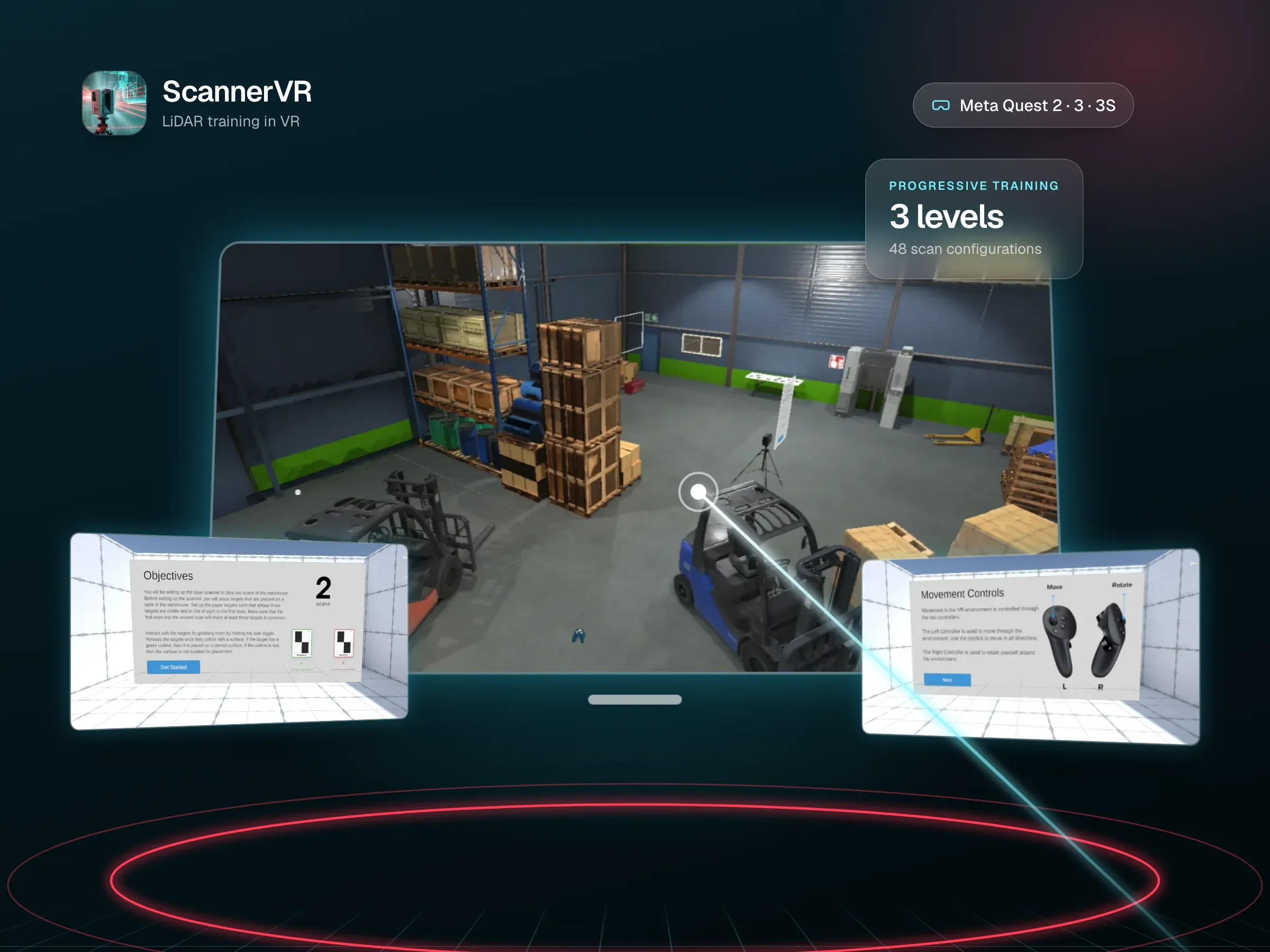
ScannerVR trains people to run a professional LiDAR scanning workflow on Meta Quest. Trainees grab targets, snap them to warehouse walls, position a tripod-mounted scanner, and complete a first and second scan that must each see at least three targets before a point cloud is generated. Three levels add obstructions like crates, pallets, barrels and forklifts, and every session is exported with time on task, coverage and targets used.
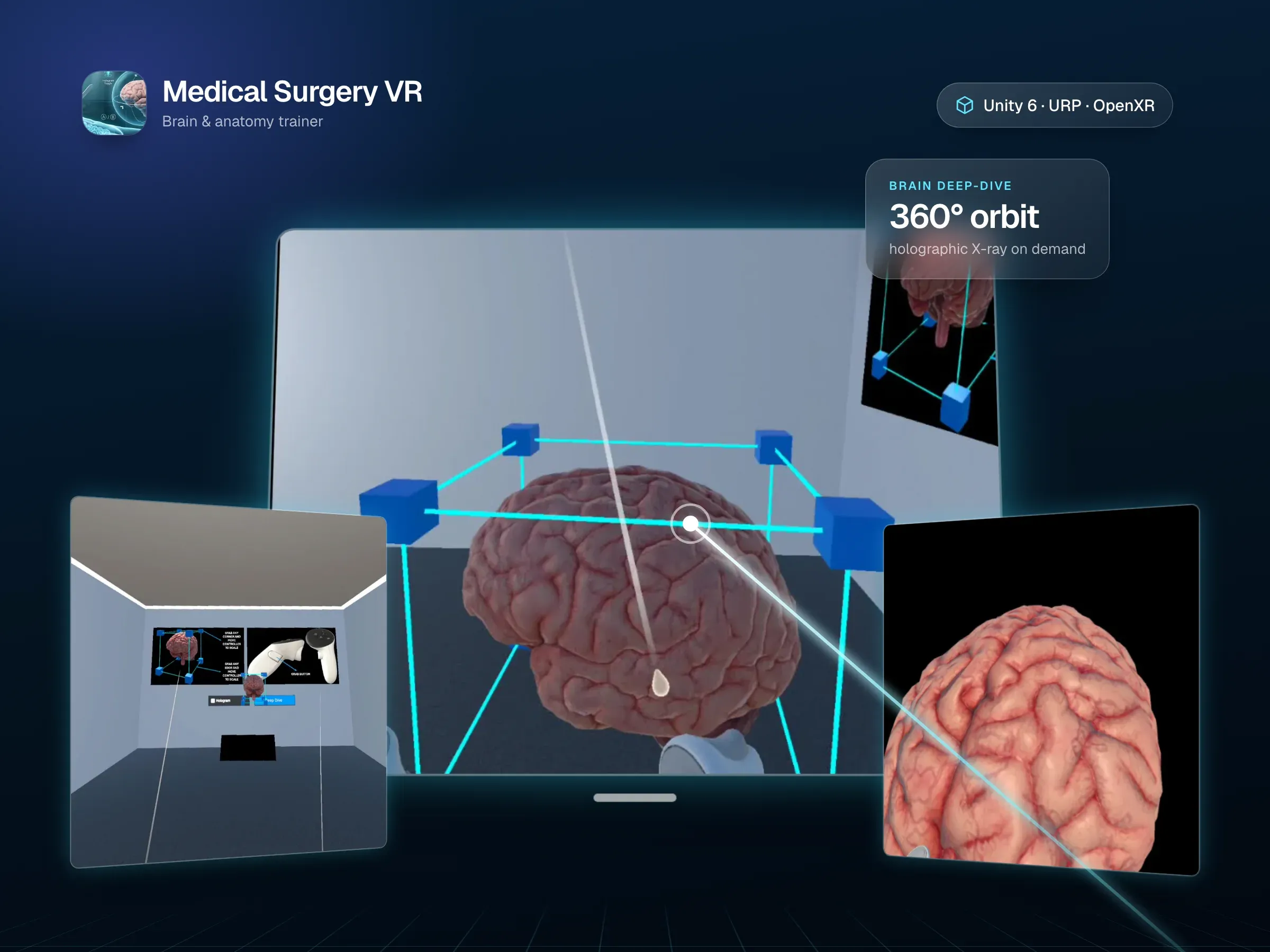
Medical Surgery VR puts learners in an operating room built in Unity 6. They can grab, scale and rotate anatomy, cut it with a scalpel in real time, switch it to a holographic X-ray view, and orbit a detailed 3D brain in a dedicated deep-dive mode.
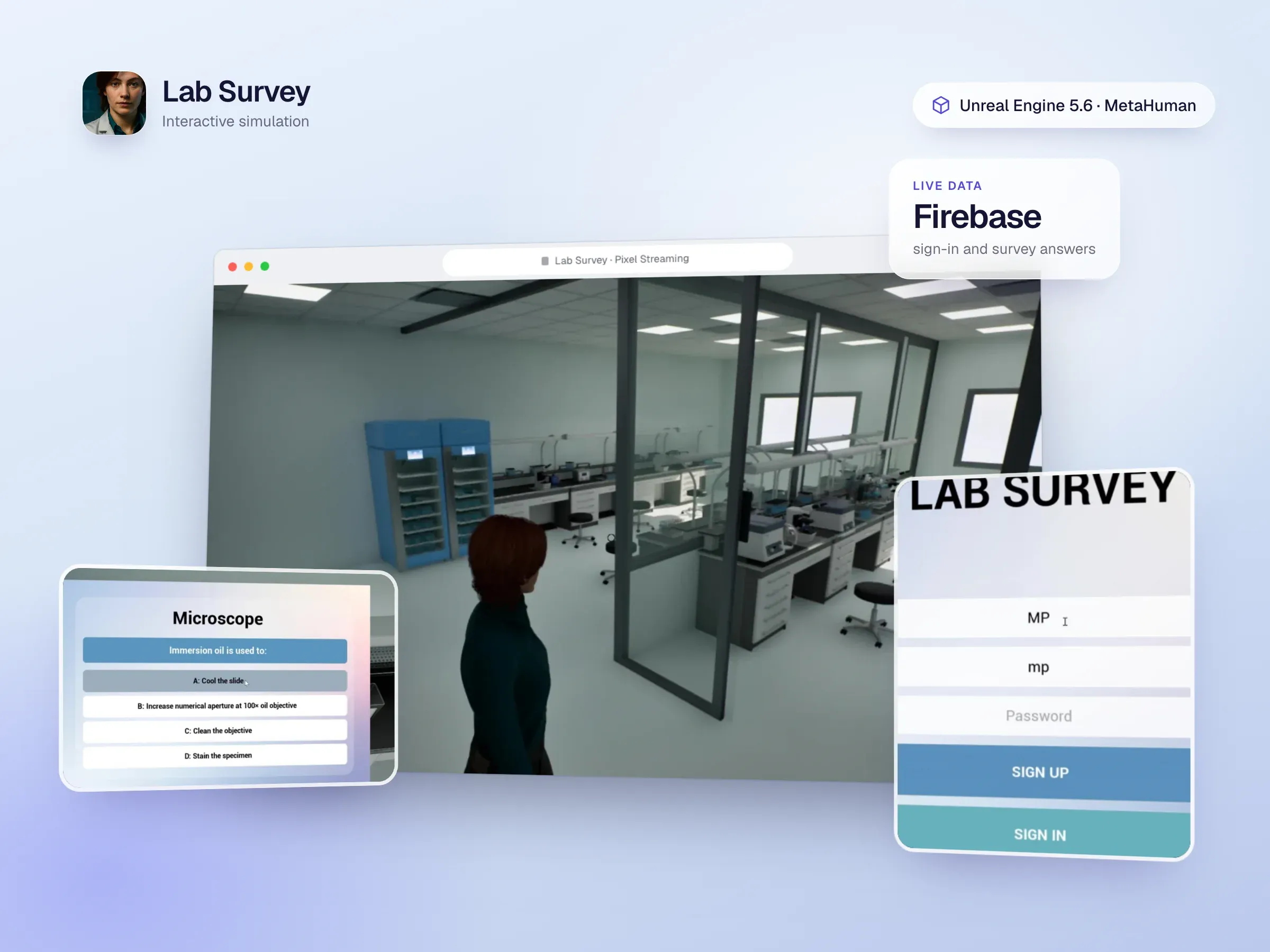
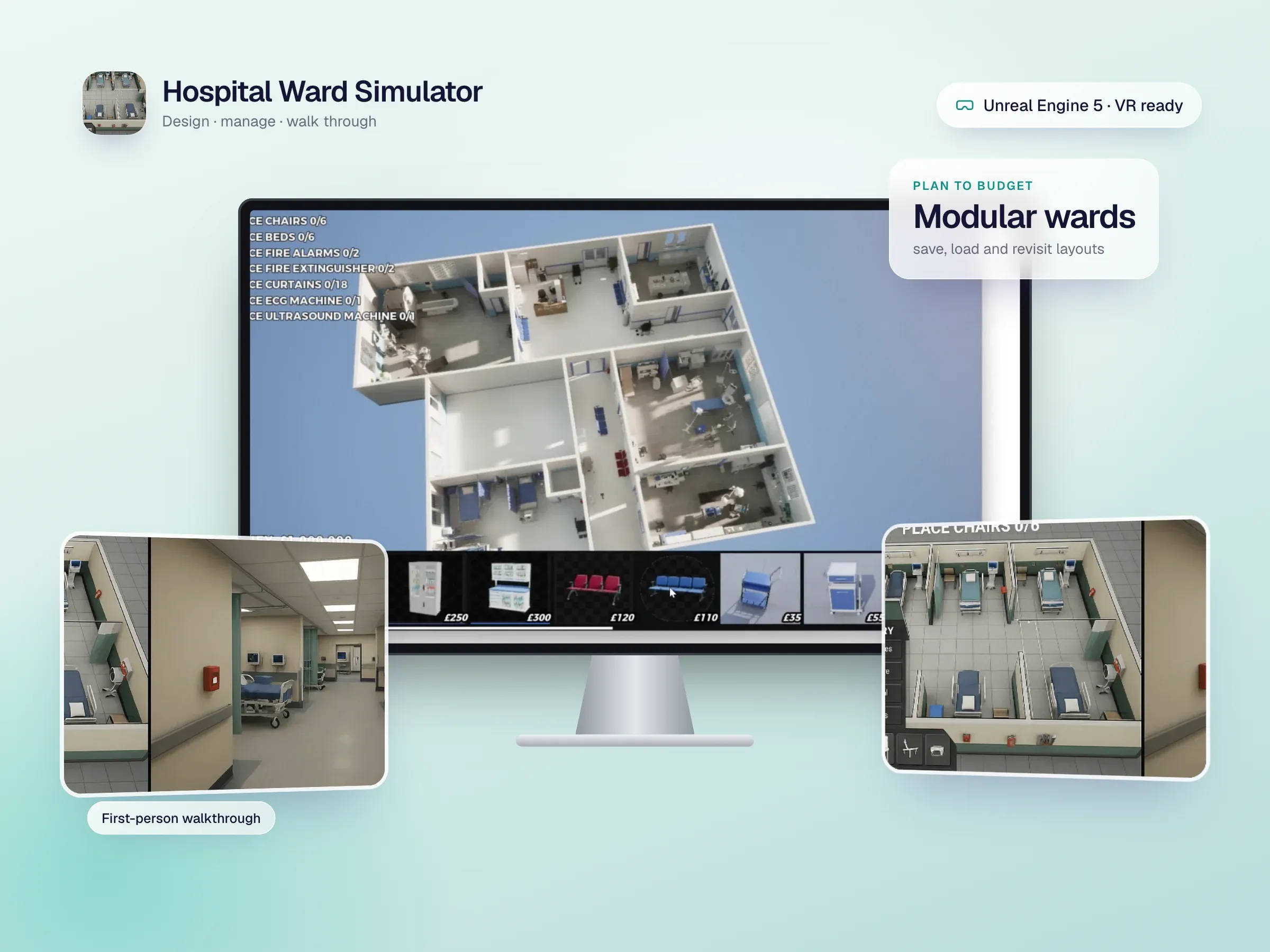
The Hospital Ward Simulator, built in Unreal Engine, lets planners lay out a ward within a budget, then walk through it in first person or in VR on Meta Quest. The Lab Survey simulation pairs a realistic Unreal Engine 5.6 lab and MetaHuman characters with sign-in and survey answers stored in Firebase, and streams to any browser.
Standalone Meta Quest headsets are the simplest rollout: no cables, no PC, and they’re easy to hand out. PC VR through OpenXR suits heavier scenes and fixed training rooms. And when people don’t have headsets at all, an Unreal Engine simulation can stream to a normal web browser with Pixel Streaming, so learners can take part from a laptop. We’ll recommend the right mix for your team, your budget and your IT setup during discovery.
We learn the task, the mistakes people make and how you judge competence today, then agree the scenarios, target headsets and what success looks like.
A first playable scenario on your target hardware, tried by a few real trainees to check realism, comfort and clarity before production.
Environments, interactions, onboarding, feedback and analytics, with regular builds you can try on your own headsets.
Deployment to your headsets or the browser, handover to your team, and updates as your procedures change.
Straight answers to what people usually ask before we start working together.
Still curious? Ask us anythingTasks that are hard to practise for real because they're dangerous, expensive, rare or tied up in equipment people can't take out of service. Procedural skills, like setting up equipment or following a safety sequence, spatial skills, like finding your way around a site, and medical visualisation are strong fits. If a video would teach it just as well, we'll tell you.
Our training builds run standalone on Meta Quest 2, 3 and 3S, and on PC VR through OpenXR. When people don't have headsets, Unreal Engine simulations can stream to an ordinary web browser with Pixel Streaming. We confirm device support in the proposal and test on real hardware.
Both. ScannerVR and Medical Surgery VR are built in Unity 6, which suits standalone Quest builds well. The Lab Survey simulation and the Hospital Ward Simulator are built in Unreal Engine 5, which shines when photorealism matters. We recommend one after discovery, based on your devices and how realistic the scenes need to be.
Yes. A simulator can record whatever matters for your training, such as time on task, steps completed and errors. ScannerVR, for example, exports every session's time, scan coverage and targets used as JSON. We agree what to capture, and where it should go, during discovery.
For some training, yes. An Unreal Engine simulation can run on a cloud GPU and stream to a browser, as our Lab Survey simulation does, so people can take part from a normal laptop. It's a good fit for remote learners or a first rollout before buying headsets.
It depends on the number of scenarios, how realistic the environments need to be, and which devices you're targeting. After a free discovery call we send a written proposal with a clear scope and price. We often start with a single scenario so you can test it with real trainees before committing to more.
Interactive games and immersive experiences that invite your audience to explore, learn, and engage.
Photoreal Unreal Engine 5 showrooms, simulations and walkthroughs that stream to any browser with Pixel Streaming, or run in VR.
VR training, mixed reality games and product experiences for Meta Quest 3, 3S and Quest 2, built in Unity and Unreal to run smoothly on a standalone headset.
Custom, responsive websites that bring your brand to life and make every interaction simple.
Intuitive mobile apps that connect with your users and support your business as it grows.
Thoughtful interfaces that turn complex ideas into clear, engaging experiences.
Share your vision with InfoTechsRealm. From websites and apps to immersive digital experiences, we bring design and engineering together to create something your users will love.