Companies that train people
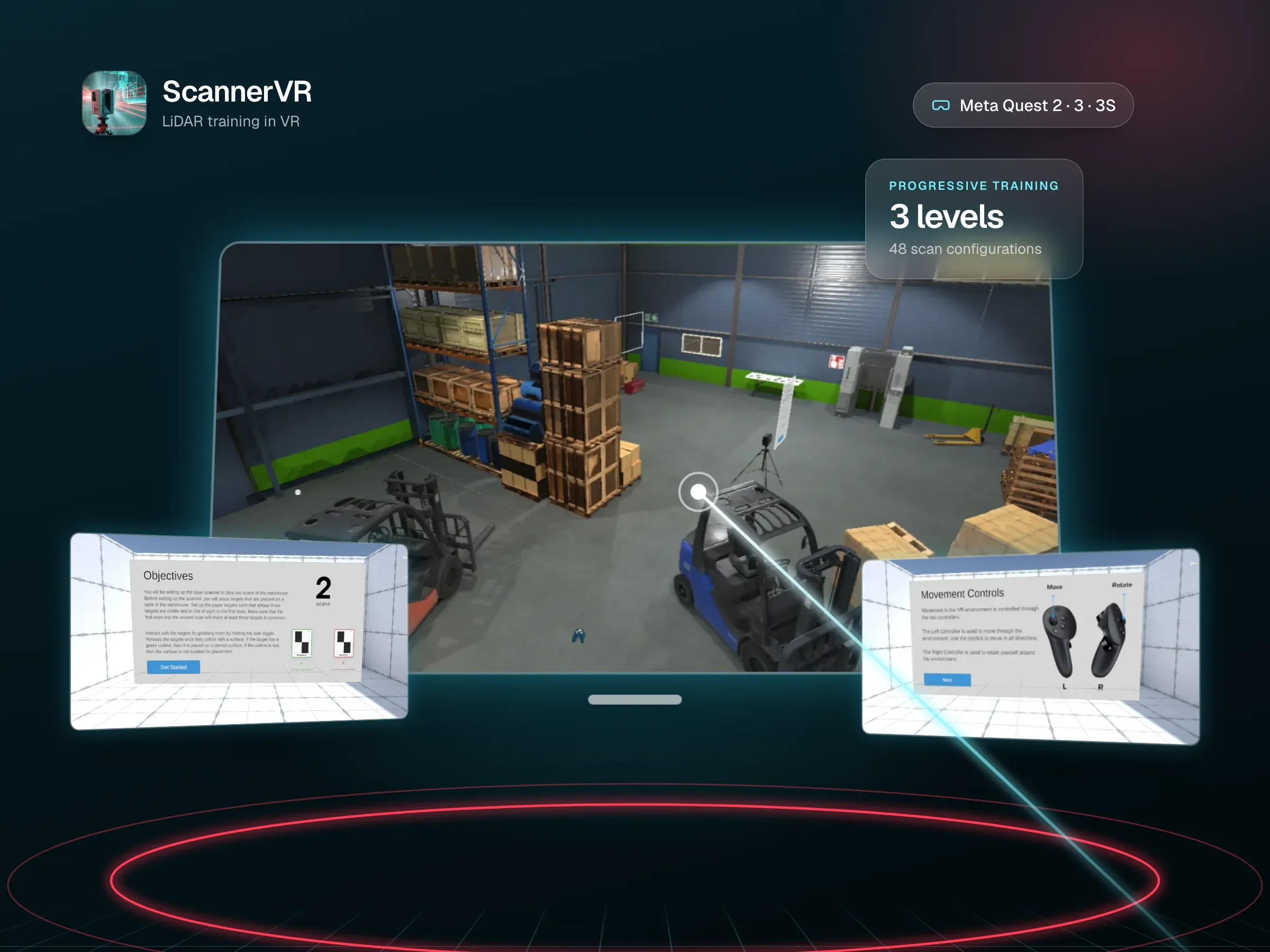
Put realistic practice on a headset you can hand to anyone, with no PC to set up. ScannerVR teaches a full LiDAR scanning workflow on Quest.
04Game & AR/VR Development · Meta Quest App Development
We design and build apps for Meta Quest 3, 3S and Quest 2, from VR training and mixed reality games that use the room you're standing in, to product and property experiences. Everything is built in Unity or Unreal Engine and tuned to run smoothly on a standalone headset, with no PC or cables.
Put realistic practice on a headset you can hand to anyone, with no PC to set up. ScannerVR teaches a full LiDAR scanning workflow on Quest.
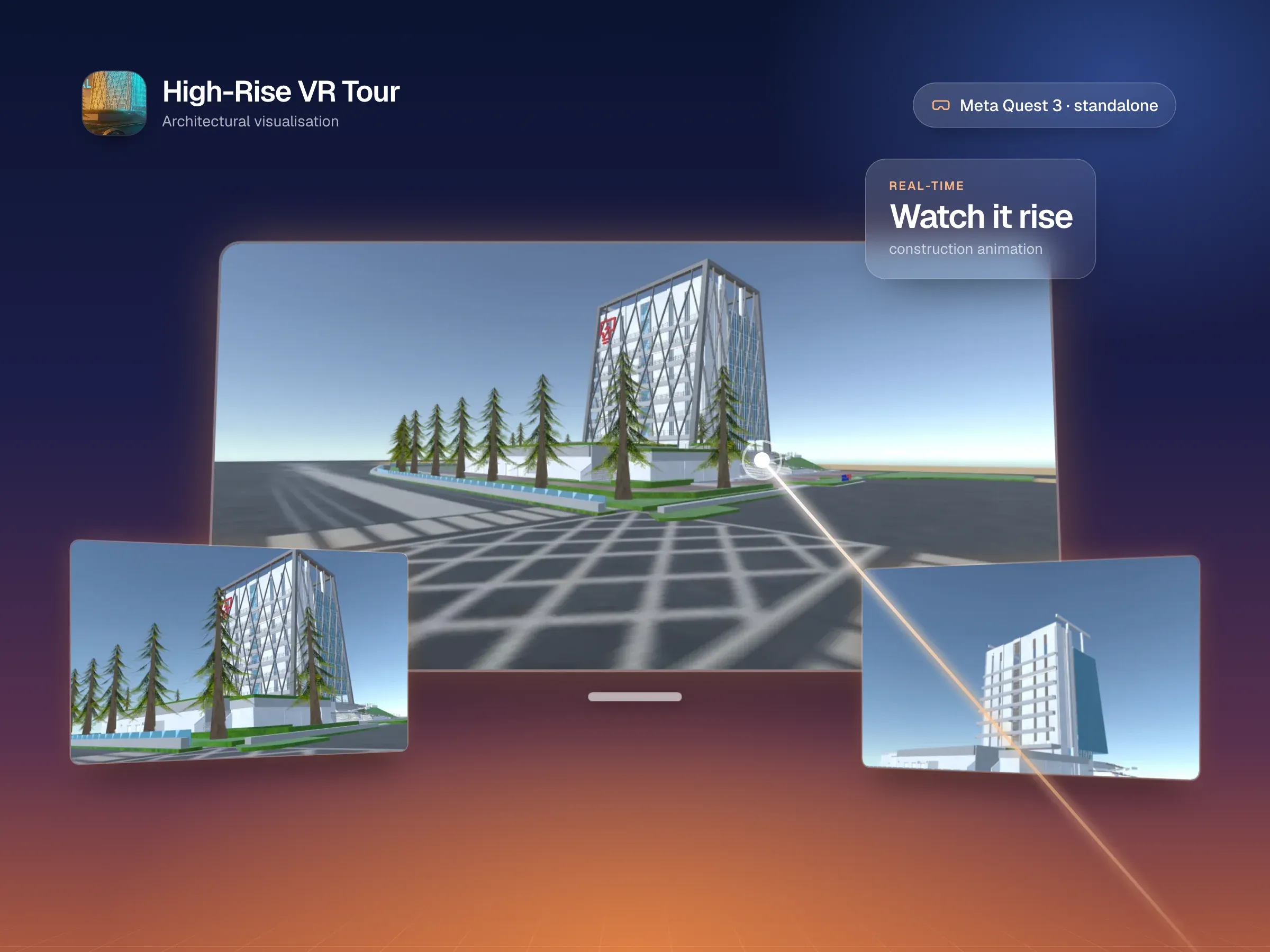
Let people explore a product, a showroom or a building at full scale, and take it on the road to events and sales meetings.
Mixed reality games that play out in the player's own room, and guided VR experiences for installations and venues.
Quest runs on a mobile chip, so we design for it from day one. ScannerVR holds 72 fps on a standalone Quest.
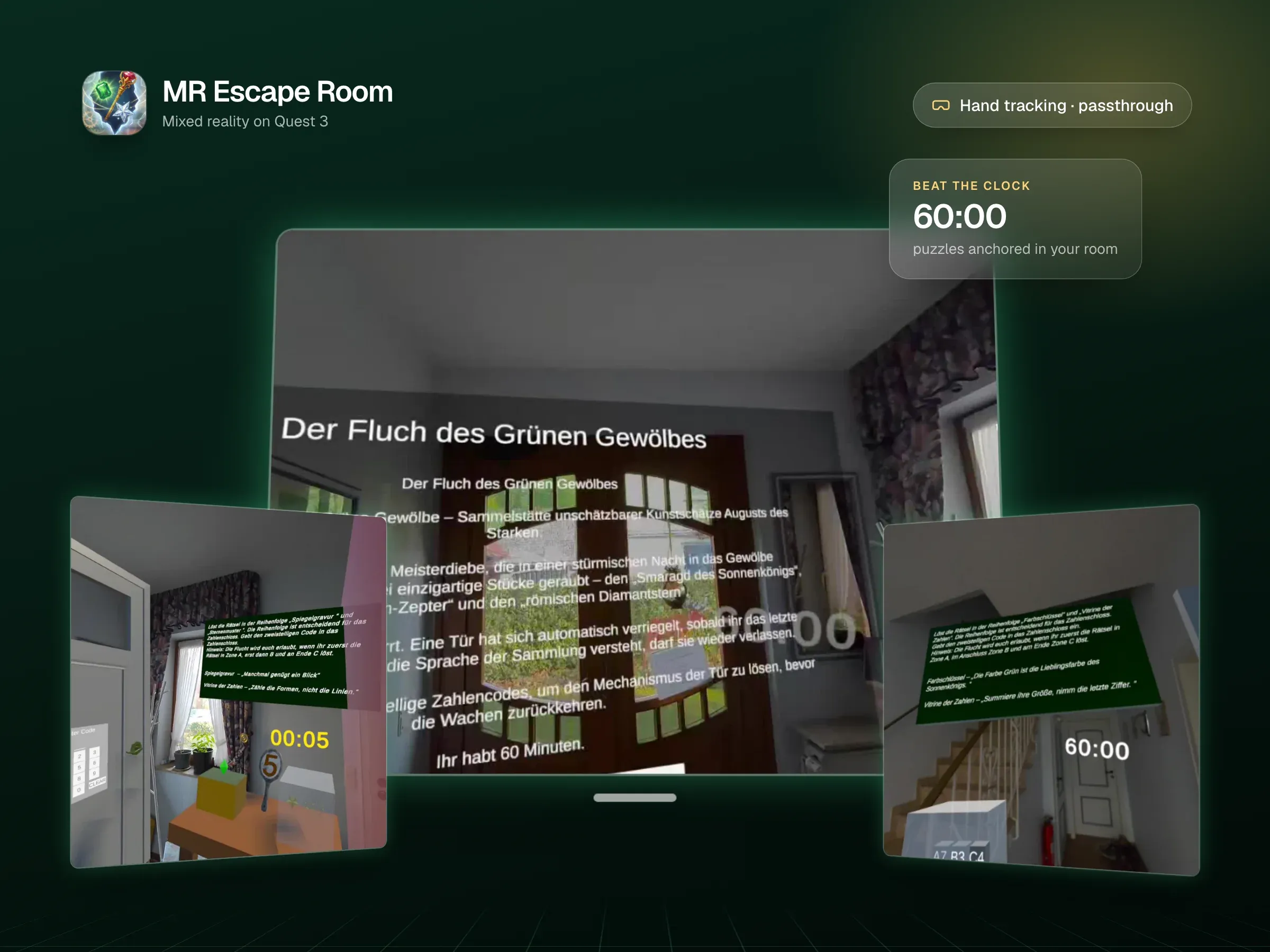
Passthrough, spatial anchors and hand tracking let digital puzzles and objects live in the player's real space.
Grab, point, press and rotate with hands or controllers, with haptics and sound confirming every action.
On the Meta Horizon Store for the public, or to a private group of testers and staff through release channels.
Meta Quest headsets are standalone: the computer is inside the headset. There’s no PC to buy, no cables and no base stations to set up, so you can hand one to a trainee, a customer or a visitor and they’re inside your experience within seconds. That makes Quest the practical choice for most training, sales and event projects.
The trade-off is performance. Quest runs on a mobile chip, so a scene that would be easy on a gaming PC has to be designed carefully to stay smooth on a headset. Smooth matters more in VR than anywhere else, because dropped frames make people feel unwell.
Quest 3 and 3S show the real world in colour through their cameras, called passthrough. That opens up two kinds of app.
Virtual reality replaces the room with somewhere else. It’s the right choice when people need to be in a place they can’t easily reach: ScannerVR puts trainees in a warehouse to practise LiDAR scanning, and the High-Rise VR Tour lets people walk around a building that isn’t finished yet.
Mixed reality keeps the real room and adds to it. MR Escape Room turns the player’s own space into a puzzle game on Quest 3, using passthrough, spatial anchors so objects stay where they were placed, and hand tracking so players can reach out and touch things.
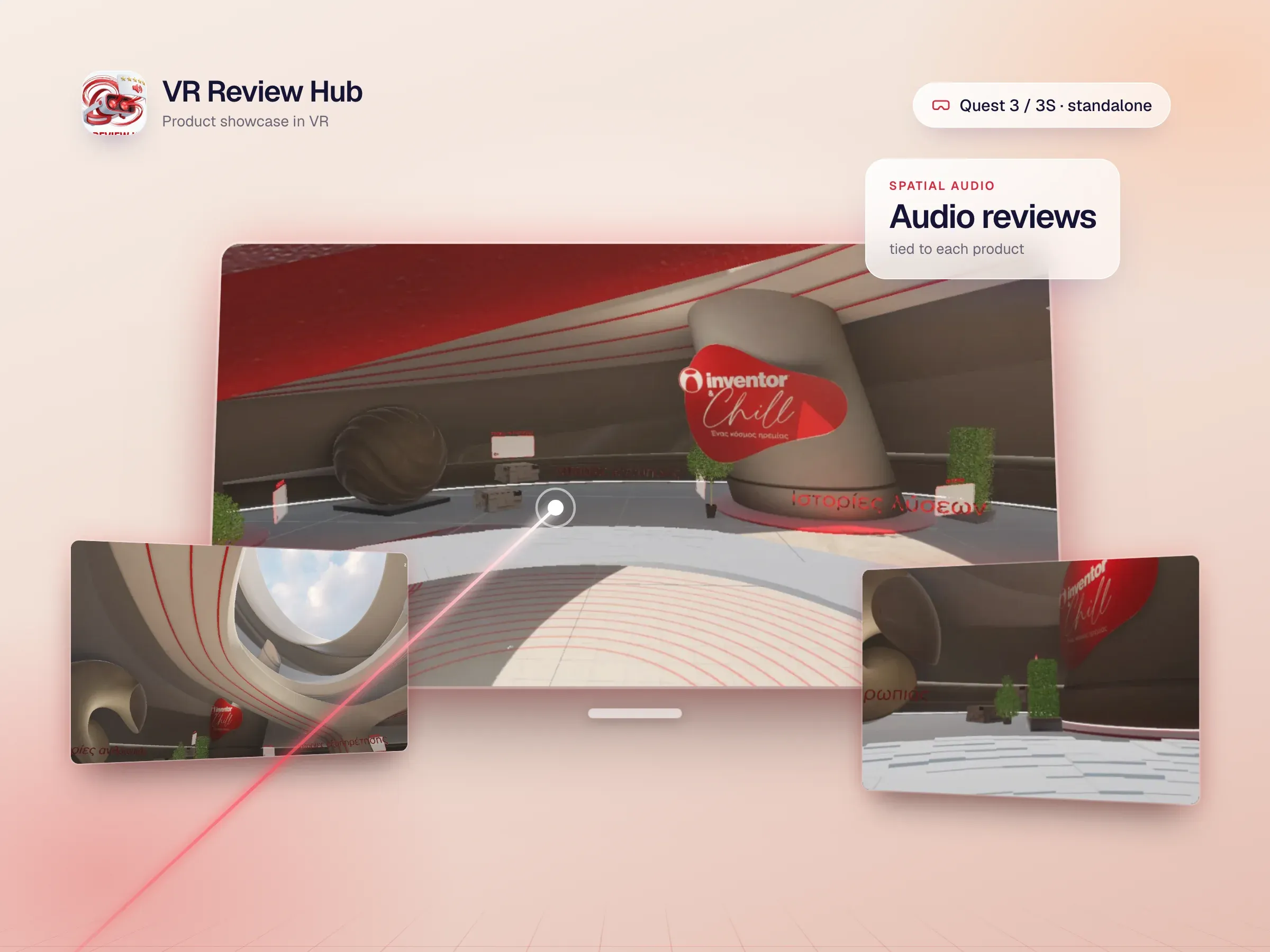
VR Review Hub is a photoreal product showroom for Quest 3 and 3S, with audio reviews tied to each product and diegetic 3D menus people grab and rotate. The High-Rise VR Tour is an optimised standalone Quest 3 walkthrough with a real-time construction animation. KairosVR, built in Unreal Engine 5.6, runs across three synchronised Quest 3 stations as a guided experience.
For a public release, apps go on the Meta Horizon Store. Since 2024 that has also included the apps that used to be in App Lab. For internal use, release channels let you invite specific people to install a build, which suits staff training and testing. Meta stopped selling its business headset program in February 2026, so for larger fleets we’ll talk through the device-management options that fit your setup.
We agree who uses the app, where and for how long, whether it should be VR or mixed reality, and which Quest models it must support.
An early build on a real headset to check comfort, performance and whether the core interaction feels right.
Environments, interactions, UI and audio, profiled on Quest hardware throughout so it stays smooth.
Meta Horizon Store submission or private release channels, then updates as Meta ships new system versions.
Straight answers to what people usually ask before we start working together.
Still curious? Ask us anythingQuest 3 and Quest 3S, and Quest 2 where a project needs it. Quest 3 and 3S share the same chip, so most apps run on both. Quest 3 has sharper lenses and a depth sensor that helps mixed reality. We confirm the exact devices in the proposal and test on real hardware.
VR takes people somewhere else, which suits training in places they can't easily visit, like a warehouse full of forklifts or an operating room. Mixed reality keeps them in their own room and adds digital objects to it, which suits games, product placement and anything that should fit the real space. MR Escape Room, for example, anchors its puzzles in the player's room using passthrough.
Both work. Unity is the most common choice for standalone Quest apps, and most of our Quest work uses it. Unreal Engine suits visually ambitious projects that have the performance budget for it, such as KairosVR on Quest 3.
Public apps go on the Meta Horizon Store, which since 2024 has also included the apps that used to sit in App Lab. For staff or testers, release channels let you invite specific people to install a build. We set up whichever route fits and handle the submission.
Meta stopped selling its commercial Quest headsets and Horizon managed services in February 2026, and says support for existing Quest 3 and 3S customers continues until January 2030. Third-party device-management platforms are the main alternative for new fleets. We'll recommend a setup that fits how many headsets you run.
It depends on the number of scenes, how interactive and realistic they need to be, and whether you need mixed reality or multiplayer. After a free discovery call we send a written proposal with a clear scope and price, often starting with a prototype so you can try it on the headset early.
Interactive games and immersive experiences that invite your audience to explore, learn, and engage.
Custom VR simulations for technical, safety and medical training, built in Unity and Unreal for Meta Quest, PC VR and the browser.
Photoreal Unreal Engine 5 showrooms, simulations and walkthroughs that stream to any browser with Pixel Streaming, or run in VR.
Custom, responsive websites that bring your brand to life and make every interaction simple.
Intuitive mobile apps that connect with your users and support your business as it grows.
Thoughtful interfaces that turn complex ideas into clear, engaging experiences.
Share your vision with InfoTechsRealm. From websites and apps to immersive digital experiences, we bring design and engineering together to create something your users will love.