Brands with a product to show
Let customers walk a virtual showroom, look at products up close and read the details, at a quality photos and 3D web viewers can't match.
04Game & AR/VR Development · Unreal Engine & Pixel Streaming
We build photoreal Unreal Engine 5 showrooms, simulations and walkthroughs, then stream them with Pixel Streaming so anyone can use them from a link on a laptop, tablet or phone. The heavy rendering happens on a cloud GPU, not on your visitor's device.
Let customers walk a virtual showroom, look at products up close and read the details, at a quality photos and 3D web viewers can't match.
Put a realistic simulation in front of people wherever they are, with sign-in and results stored in your own database.
Share a photoreal walkthrough of a building or a space as a link, instead of a video or a heavy download.
Visitors open a link and start interacting. The Unreal Engine app renders on a cloud GPU and streams to their browser.
Lumen lighting, detailed materials and MetaHuman characters, running live rather than as a pre-rendered video.
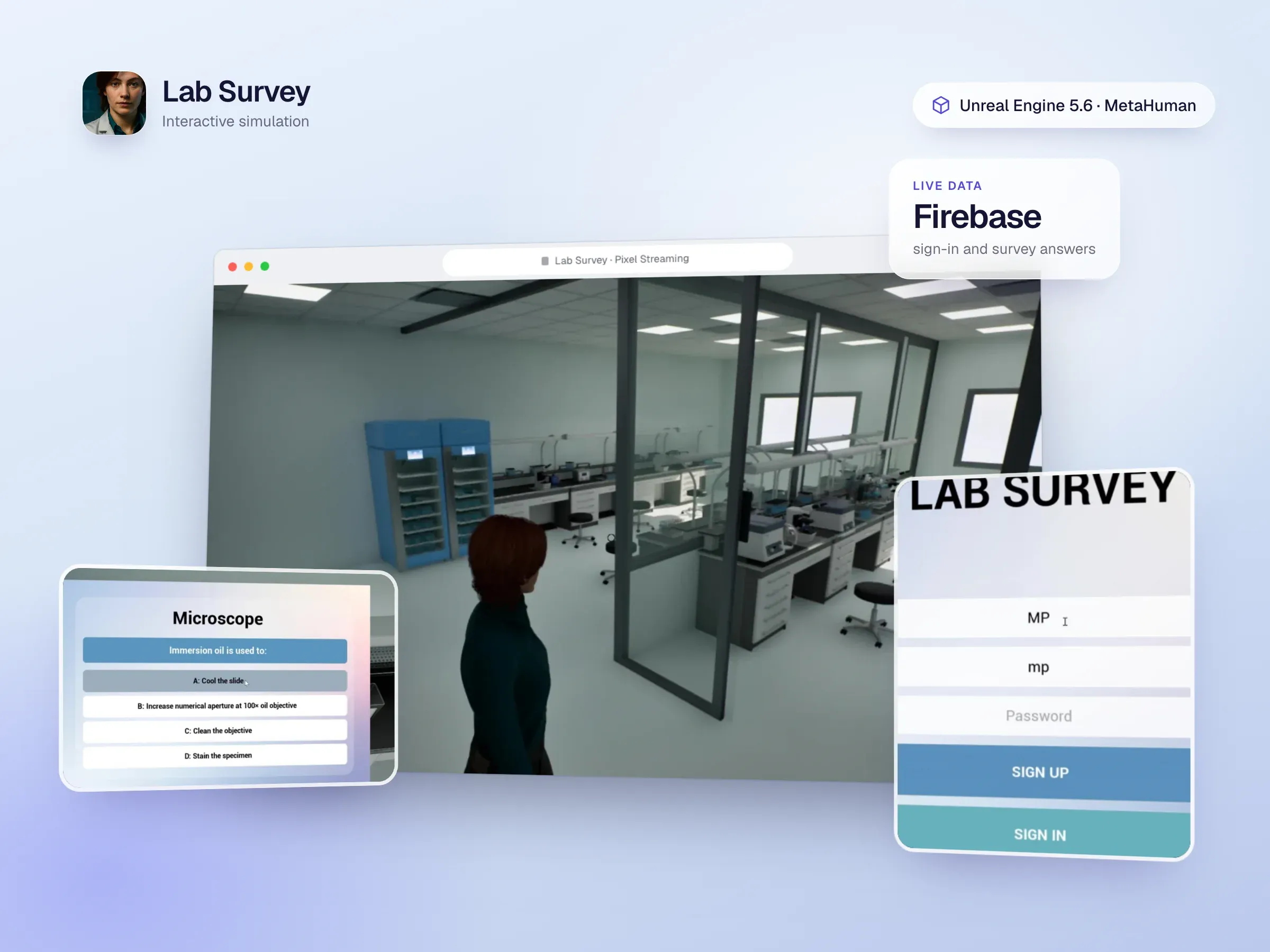
Sign-in, forms and results go to your backend. Lab Survey stores logins and survey answers in Firebase as people use it.
The same Unreal project can also give you a VR build, marketing renders and stills, or an installation for events.
Your Unreal Engine 5 application runs on a machine with a powerful GPU in the cloud. Pixel Streaming sends what it renders to the visitor’s browser as a live video stream, and sends their mouse, keyboard and touch input back to the application. To the visitor it feels like using the app directly, at a quality their own device could never render.
That makes it a good fit when you want the look of a modern game engine, such as realistic lighting, detailed materials, large spaces and lifelike characters, but you can’t ask people to install anything or own a gaming PC.
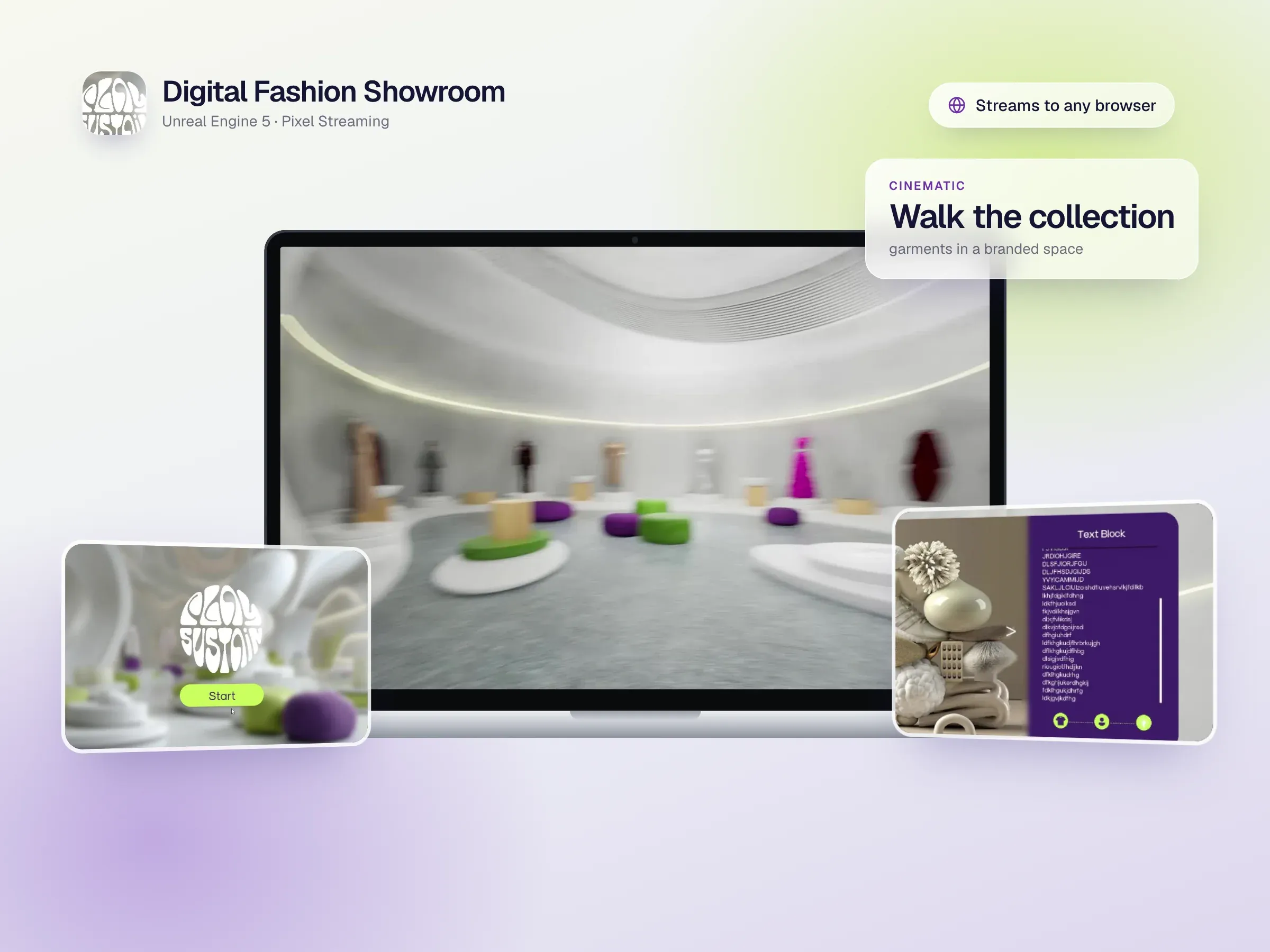
The Digital Fashion Showroom is a branded Unreal Engine 5 space where visitors walk among garments on mannequins, open product details in pop-ups, and move with smooth camera transitions. The same project produces cinematic renders and stills for marketing.
The Lab Survey simulation places users in a realistic Unreal Engine 5.6 laboratory with MetaHuman characters. They sign in, explore, interact with objects and answer a survey, with logins handled by Firebase Authentication and answers saved to Firebase in real time. It’s built for Pixel Streaming, so it runs from a web browser without high-end hardware.
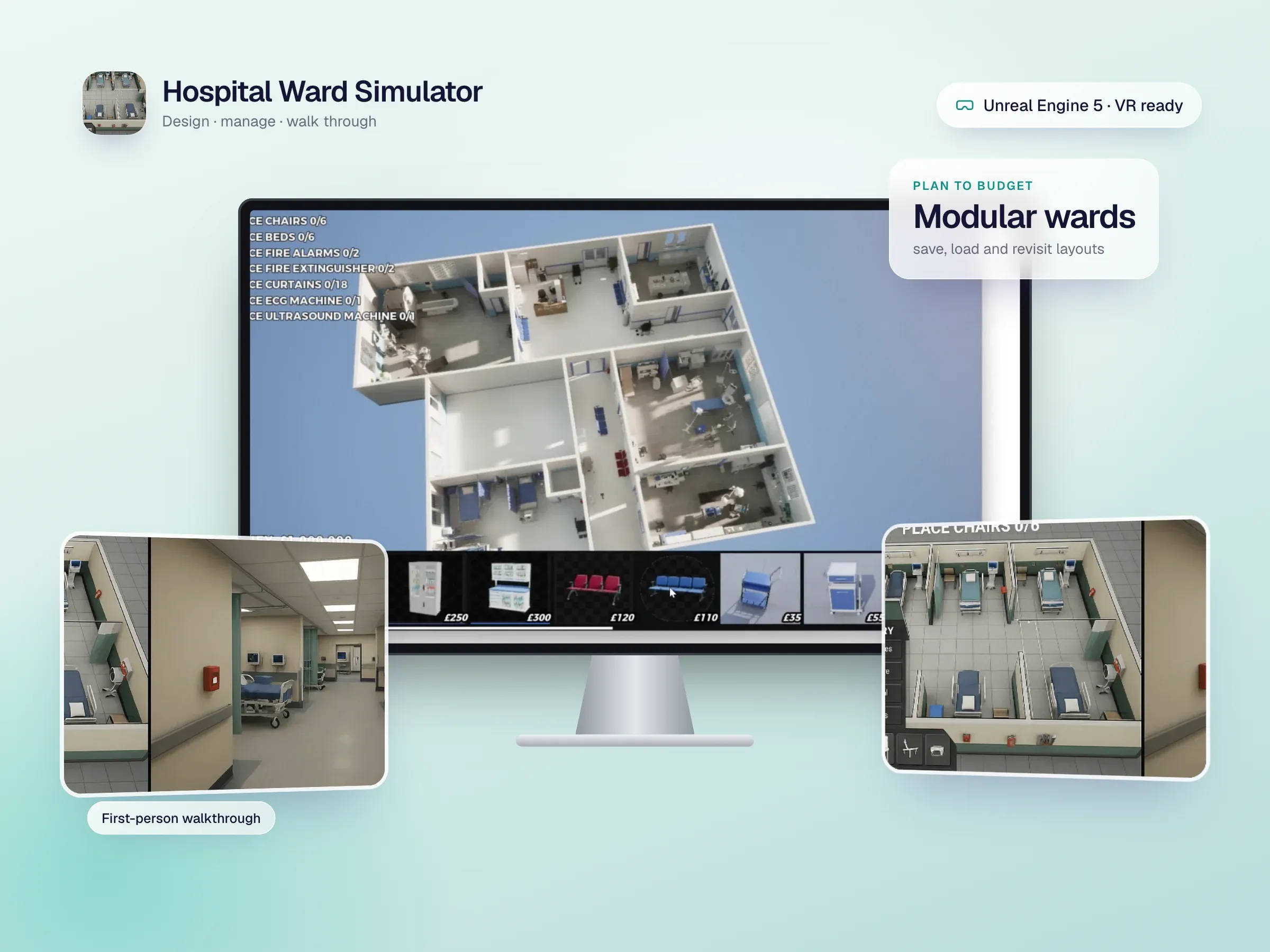
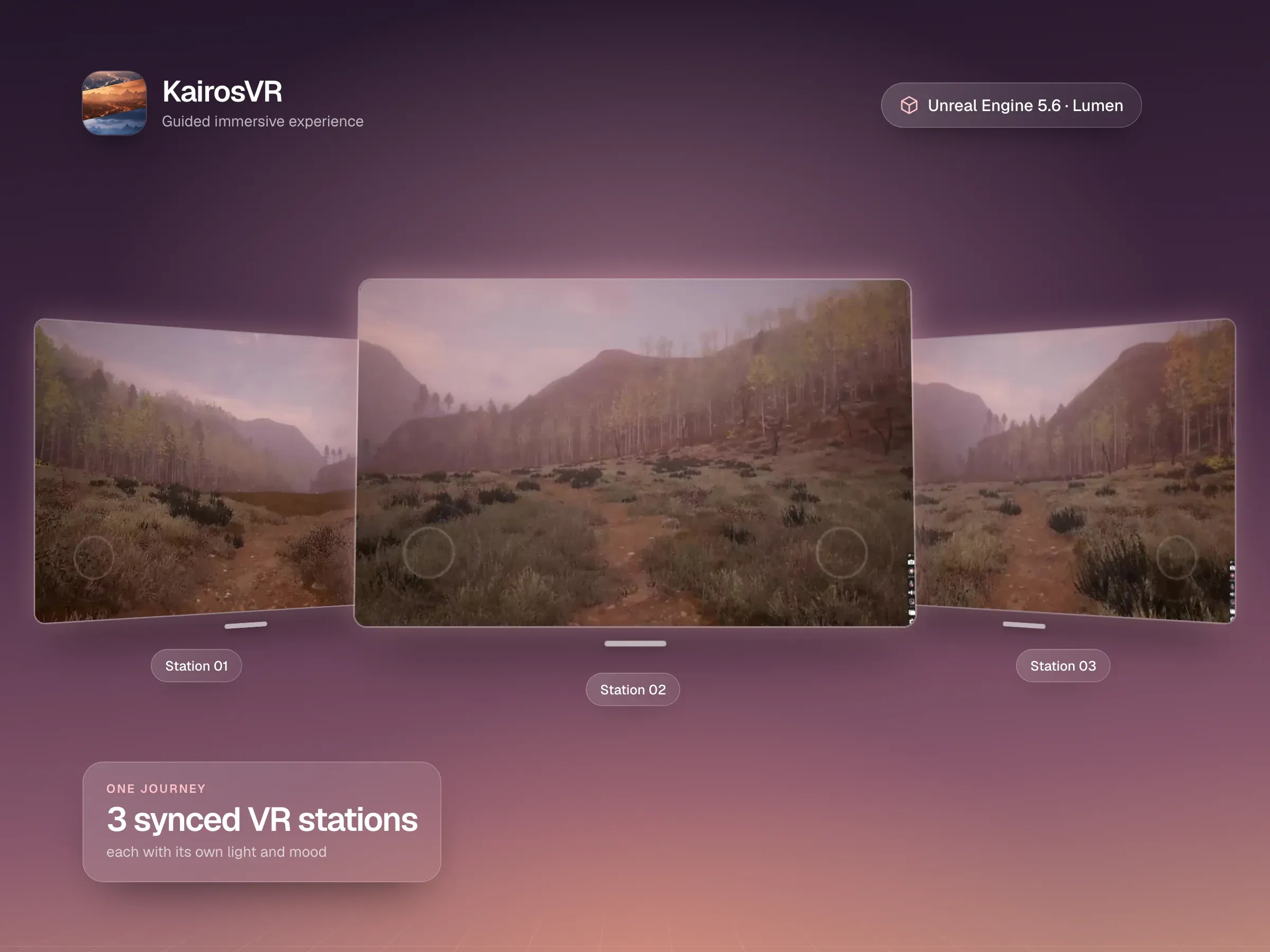
KairosVR is a large Unreal Engine 5.6 installation with procedurally generated environment detail, Lumen lighting and three synchronised VR stations, each with its own lighting scenario. The Hospital Ward Simulator combines top-down planning, budgeting and a first-person or VR walkthrough of the finished ward.
Choose Pixel Streaming when visual quality is the point and your audience is on ordinary devices: virtual showrooms, architectural walkthroughs, training simulations and product launches. If you need something lighter that runs entirely in the browser, like a 3D product viewer or an interactive website section, WebGL with three.js is usually cheaper to run, and we build those too. We’ll help you pick during discovery.
We agree who will use it, on which devices, how many people at once, and what it needs to connect to, because that shapes the streaming setup and the running costs.
An early interactive scene streamed to your browser, so you can judge quality and responsiveness on your own network.
Environments, interactions, UI and backend integration, tuned to render well on streaming GPUs, with regular builds to try.
Cloud deployment and scaling for the number of people you expect, then updates and new content after launch.
Straight answers to what people usually ask before we start working together.
Still curious? Ask us anythingPixel Streaming is Epic Games' way of running an Unreal Engine application on a server and streaming it to a web browser, much like a video call. The visitor's clicks, taps and keys are sent back to the app in real time, so it feels interactive even though nothing runs on their device except the browser.
A modern web browser and a steady internet connection. There's nothing to install and no need for a powerful computer, because the rendering happens on a cloud GPU.
Yes. Pixel Streaming runs in mobile browsers too, and we design the controls and interface so they work with touch as well as a mouse and keyboard.
Each person using it at the same time needs GPU time in the cloud, so running costs depend mostly on how many people use it at once and for how long. We size this with you during discovery and can use a managed streaming platform or your own cloud account.
For lighter 3D, like a product viewer or a website hero, browser-native WebGL is cheaper to run and we build those too. Pixel Streaming is the better choice when you need Unreal Engine quality, such as photoreal lighting, large environments or MetaHuman characters, on devices that could never render it themselves.
Often, yes. Unreal Engine projects can also be packaged for VR headsets. KairosVR, for example, is an Unreal Engine 5.6 experience built for Meta Quest 3, and the Hospital Ward Simulator offers a VR walkthrough mode.
Interactive games and immersive experiences that invite your audience to explore, learn, and engage.
Custom VR simulations for technical, safety and medical training, built in Unity and Unreal for Meta Quest, PC VR and the browser.
VR training, mixed reality games and product experiences for Meta Quest 3, 3S and Quest 2, built in Unity and Unreal to run smoothly on a standalone headset.
Custom, responsive websites that bring your brand to life and make every interaction simple.
Intuitive mobile apps that connect with your users and support your business as it grows.
Thoughtful interfaces that turn complex ideas into clear, engaging experiences.
Share your vision with InfoTechsRealm. From websites and apps to immersive digital experiences, we bring design and engineering together to create something your users will love.