AR/VRVR ExperienceImmersive Product Demo
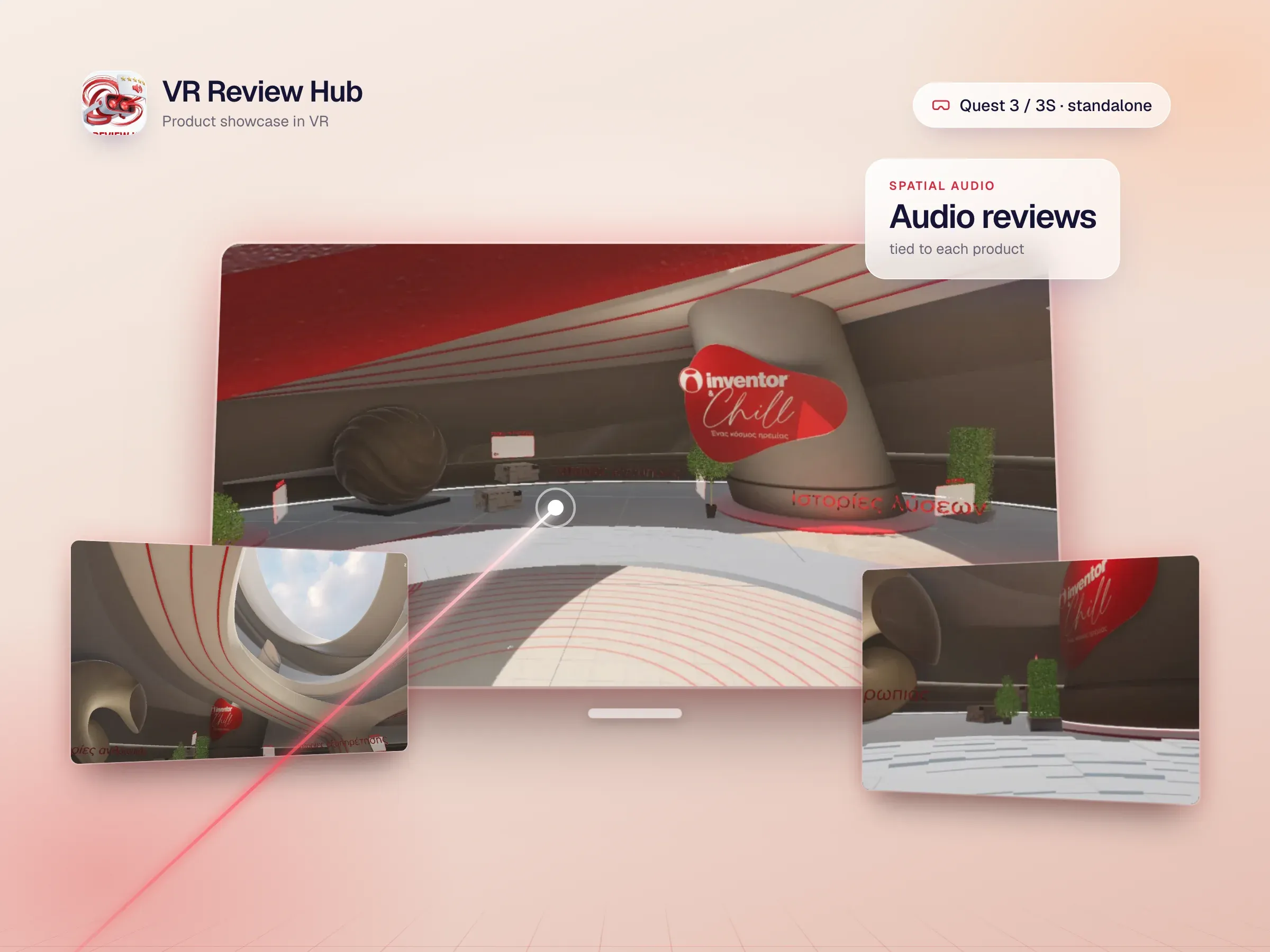
VR Review HubInteractive Product Showcase
Photorealistic Unity 6 VR experience for Quest 3/3S featuring interactive product exploration, audio reviews, spatial UI, and advanced visual effects in custom branded environments.
- Category
- AR/VR
- Built with
- Unity 6, Universal Render Pipeline (URP), XR Interaction Toolkit 2.0 +11 more
VR Review Hub is a sophisticated VR product showcase experience built in Unity 6, optimized for Meta Quest 3 and Quest 3S using OpenXR and the XR Interaction Toolkit. The project transforms static product reviews into immersive, interactive 3D environments where users can explore branded installations, interact with spatialized audio reviews, and engage with photorealistic product models through intuitive controller interactions. The experience features a series of custom-designed showcase environments including abstract geometric installations (spiraling shapes, curved architecture) and branded product displays (Inventor Chill air conditioning units). Advanced post-processing with global volume creates cinematic visual effects including bloom, color grading, depth of field, and atmospheric lighting. Custom skyboxes and environmental lighting create distinct moods for each showcase area. LOD optimization, baked lighting, and occlusion culling ensure smooth 72fps performance on standalone hardware. Spatial UI elements are designed as diegetic 3D objects that users can grab, rotate, and interact with using ray-based selection and controller haptics. Audio reviews are spatialized to create immersive listening experiences tied to specific product locations. Animation systems drive dynamic visual feedback for interactions. The project demonstrates expertise in VR UX design, photorealistic rendering optimization, spatial interaction patterns, and creating engaging brand experiences that leverage VR’s immersive capabilities while maintaining accessibility and performance.
See it in action
What makes it work
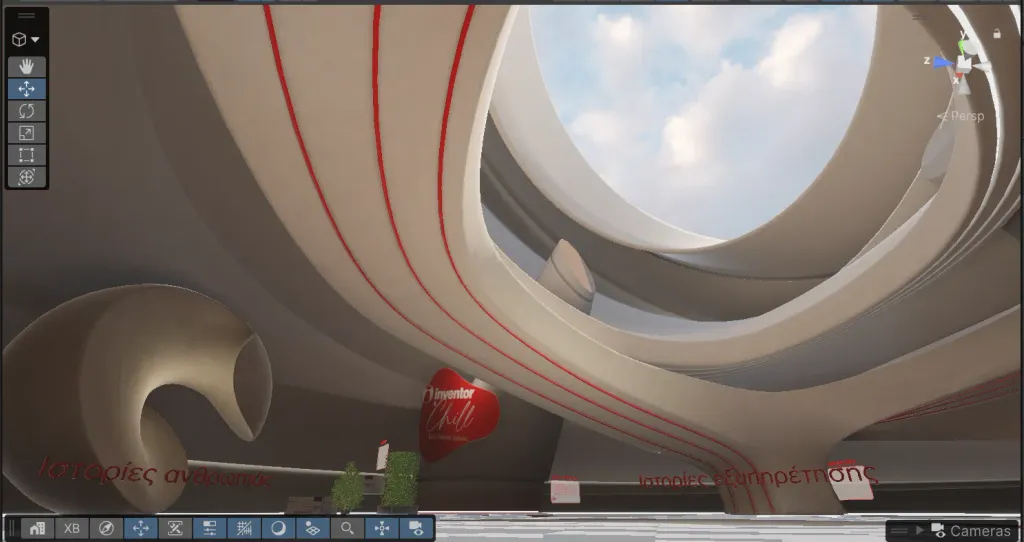
Interactive 3D product showcase environments with branded installations
Photorealistic rendering optimized for Quest 3/3S standalone performance
Custom abstract architecture (spirals, curved forms, geometric installations)
Spatialized audio reviews tied to physical product locations
Diegetic 3D UI with grab/rotate interactions and controller feedback
Advanced post-processing: bloom, color grading, depth of field, volumetric fog
Custom skyboxes and environmental lighting for distinct moods
LOD optimization and occlusion culling for smooth 72fps VR
Ray-based selection and haptics for natural interaction
Animation-driven visual feedback for immersive engagement
The challenge
The hard parts of building VR Review Hub
6 problems we had to solve, from performance, UX design, audio and more.
- 01 / 06Performance
Photoreal on standalone Quest
Achieving photorealistic quality on standalone Quest hardware required sophisticated optimization techniques including aggressive LOD implementation, strategic light baking, occlusion culling, and post-processing optimization.
- 02 / 06UX design
Spatial UI people can read
Designing intuitive spatial UI that felt natural in VR while remaining legible and accessible demanded extensive iteration on scale, positioning, and interaction feedback.
- 03 / 06Audio
Audio tied to each product
Spatialized audio integration with 3D product placement required precise positioning and occlusion-aware mixing.
- 04 / 06Performance
Quest 3 vs. Quest 3S
Performance profiling across Quest 3 and Quest 3S revealed different optimization bottlenecks, requiring device-specific adjustments.
- 05 / 06Visual quality
Striking but within budget
Custom abstract architecture design needed to balance visual impact with polygon budgets and draw call limits.
- 06 / 06Interaction
Controls for every grip
Controller interaction patterns required refinement for comfortable, discoverable VR UX that worked across different user grip styles and movement patterns.
6 of 6 solved
Got a problem like these? We’d like to hear about it.
Inside VR Review Hub
Built with
- Unity 6
- Universal Render Pipeline (URP)
- XR Interaction Toolkit 2.0
- OpenXR
- Meta Quest 3 / Quest 3S Optimization
- Post-processing Stack
- Global Volume
- Photorealistic PBR Materials
- Spatialized Audio
- LOD & Occlusion Culling
- Custom Skybox & HDRP
- 3D UI / Spatial Interaction
- Controller Haptics
- Ray-based Selection
Have a project like VR Review Hub?
Tell us what you want to build. You’ll get a free discovery call and a clear, written proposal.
More work like this
All projects