What every admin dashboard needs: a checklist for app owners
The admin panel is the part of your product only your team sees, and the part they use all day. A practical checklist of what to include, drawn from the dashboards we've built for a trading platform, a lottery and dream-dictionary app, and a travel-advisor SaaS.
When people plan an app, they picture the screens their customers will use. The admin dashboard often gets left until late, scoped as “a page to manage users”. Then the app launches, and the team spends every day in a tool that was never really designed.
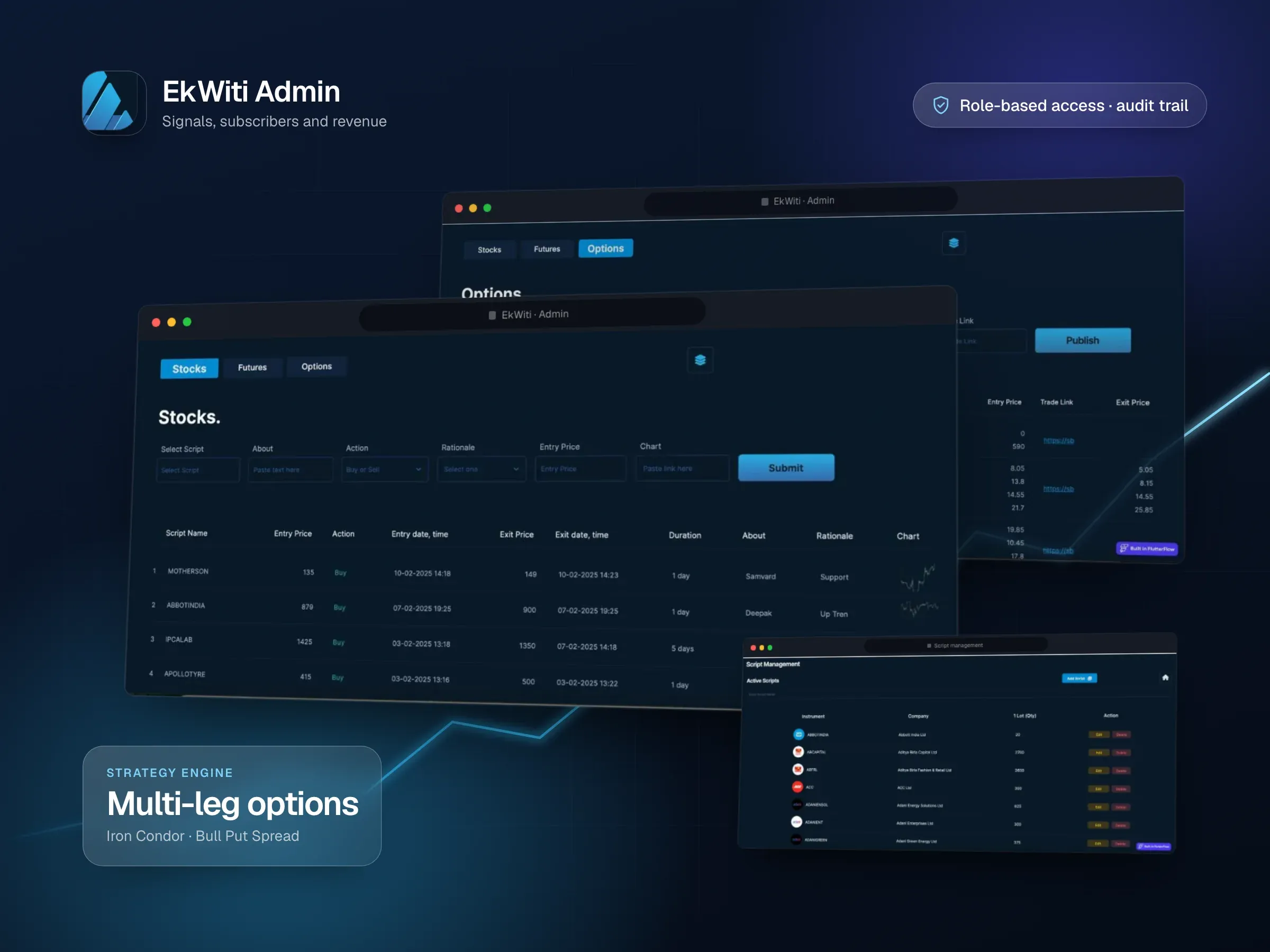
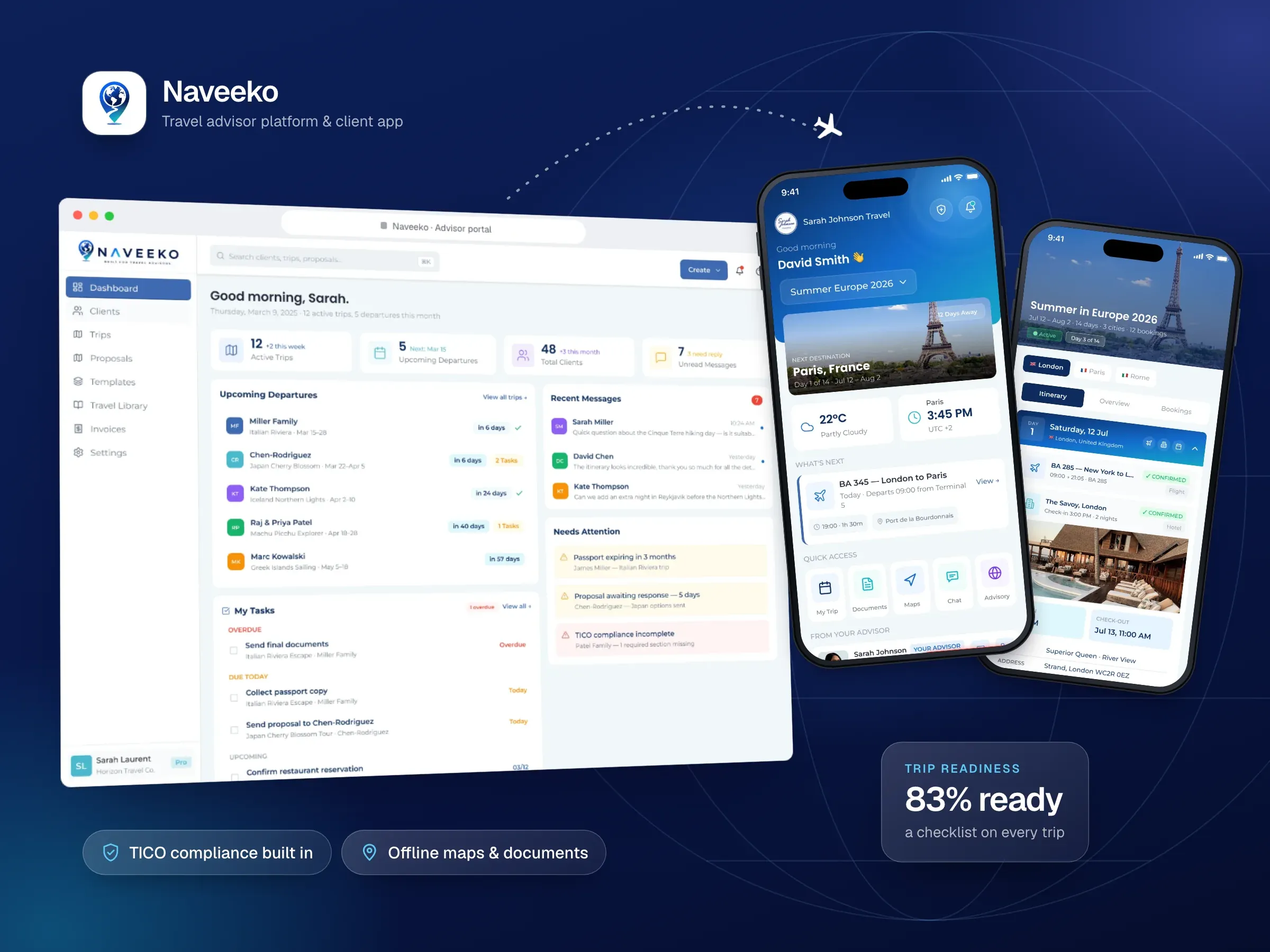
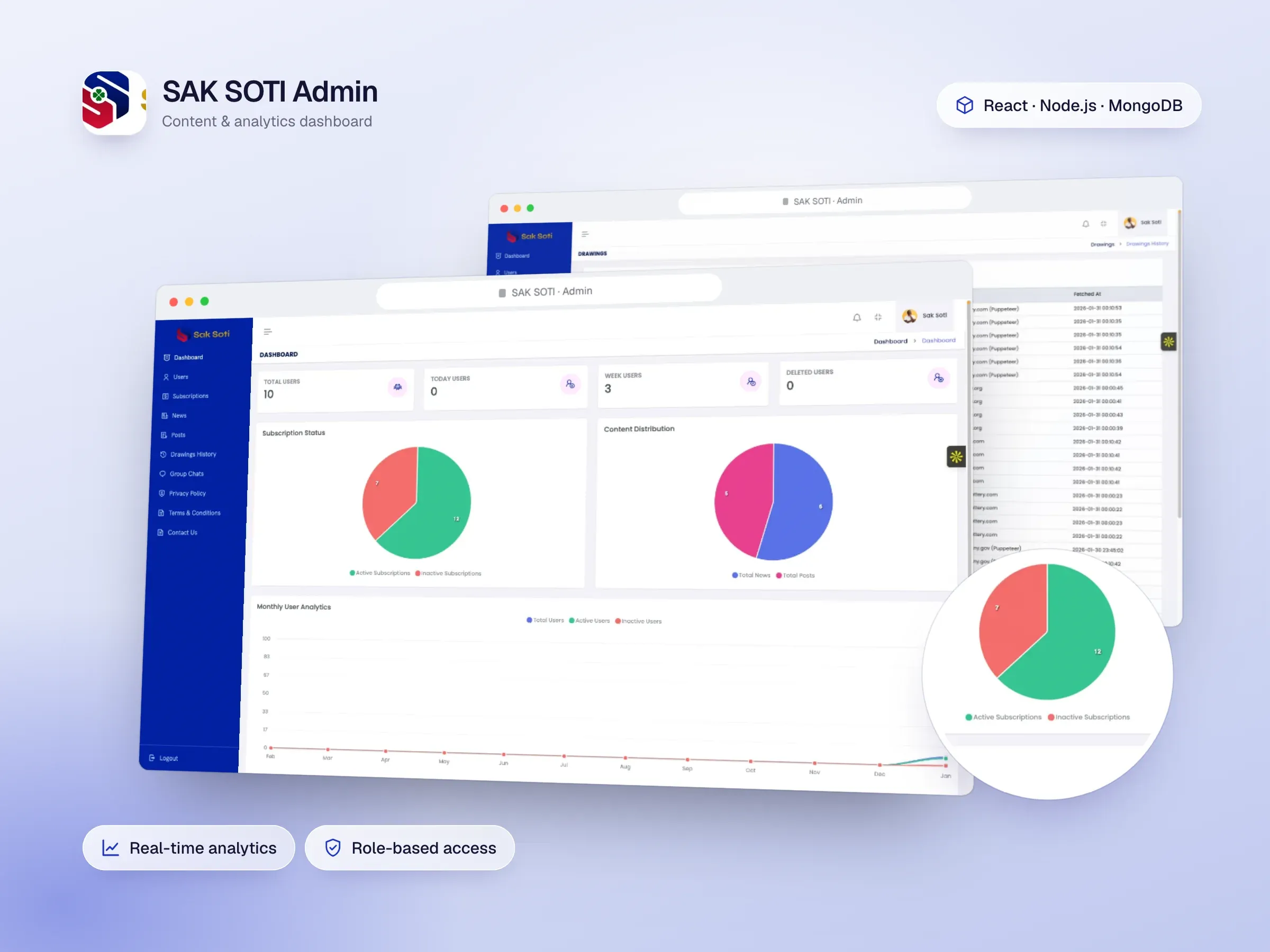
A good admin panel is what lets a small team run a big product. This checklist covers what it should include, with examples from dashboards we’ve built: the SAK SOTI Admin for a lottery-results and dream-dictionary app, the EkWiti Admin for a SEBI-registered trading-research service, and the advisor and agency-owner dashboards we designed for Naveeko, a travel-advisor platform.
1. A home screen that answers “what needs me today?”
The first screen should show what’s happening and what needs action, not just totals.
- Live numbers that matter: active users, revenue, sign-ups, or whatever drives your business. EkWiti’s dashboard shows active users, subscription revenue, signal success rates and engagement.
- A to-do list: overdue and due-today tasks, so nothing slips. Naveeko’s advisor dashboard groups tasks into overdue, due today and upcoming.
- Alerts: things that need a decision, like a stale proposal, a passport about to expire or a compliance gap.
2. User management that goes beyond a list
- Search and filter that find anyone in seconds.
- A full profile: account details, subscription status, payment history, activity.
- Actions with clear consequences: suspend, refund, change plan, reset access.
- Bulk actions for the jobs you do to many users at once.
3. Roles and permissions
Not everyone on your team should see or change everything. Role-based access control lets you give each person exactly what their job needs. SAK SOTI’s panel separates content editors, moderators and analytics managers; EkWiti’s restricts sensitive financial data. Plan roles early, because adding them later means revisiting every screen.
4. An audit log
Every administrative action should be recorded: who did what, and when. It answers “who changed this?”, helps with troubleshooting, and for regulated businesses it’s often mandatory. EkWiti’s audit trails, data retention and reporting support its SEBI compliance requirements.
5. Content management without a developer
If your app shows content, your team needs to update it themselves:
- create, edit, schedule and unpublish;
- bulk import and export for large changes;
- translations, if you serve several languages. SAK SOTI’s dream dictionary manages symbol interpretations and their translations across cultural traditions.
6. Moderation tools
If users can post anything, from reviews to chat messages, you need a review queue, reporting, and filters for spam. Be careful not to over-filter: SAK SOTI’s moderation had to remove spam without censoring legitimate spiritual content, which meant reviewing workflows as well as automatic filters.
7. Payments and revenue you can trust
- Subscriptions: plans, renewals, cancellations, failed payments.
- Reconciliation, so the numbers in your dashboard match your payment provider. EkWiti reconciles thousands of RazorPay transactions; SAK SOTI reconciles Stripe and AdMob revenue.
- Refunds and invoices handled in one place.
8. Analytics that are fast
A dashboard that takes ten seconds to load doesn’t get used. Both SAK SOTI and EkWiti needed analytics that respond in under a second over large amounts of data. That comes from deciding up front which numbers matter and pre-calculating them, rather than querying everything on every visit.
9. Control over automated jobs
Most apps run things in the background: data imports, scheduled posts, notifications, reports. Give admins a way to see them, schedule them and know when they fail. SAK SOTI’s panel configures and schedules its lottery data scrapers and alerts administrators when a source fails, without corrupting the data already collected.
10. Designed for the people who use it
An admin panel is a working tool, so it should be designed like one:
- dense enough to show a lot at once, but scannable;
- clear status colours and labels, so problems stand out;
- consistent patterns, so a new team member can learn it in an afternoon;
- responsive, because someone will need it on their phone.
For Naveeko we designed two levels: an advisor view for daily work, and an agency-owner view with performance by advisor, revenue, pending approvals and compliance alerts across the team.
Build it alongside the app
The most useful advice is about timing. Design the admin panel at the same time as the customer app, from the same data, and launch them together. That way your team can run the product from day one, instead of fixing things directly in the database.
If you’re planning an app and want the dashboard done properly, tell us what your team needs to manage and we’ll scope it with you.