FlutterFlow vs Flutter: which should you build your app with?
What FlutterFlow and Flutter each do well, where each one struggles, and how to choose, using four apps we've built as examples.
In short: Flutter and FlutterFlow aren’t the same thing. Flutter is Google’s toolkit for building apps in code; FlutterFlow is a visual builder that produces Flutter apps. FlutterFlow is usually the faster, cheaper way to launch a standard app, especially one built on Firebase. Plain Flutter is the better choice when the app depends on complex real-time features, unusual interfaces, or a large team working on it for years. Many projects start in one and grow into the other.
If you’re planning an iOS and Android app, you’ll probably hear both names. They’re closely related, and the choice between them affects how fast you launch, how much you spend, and how easy the app is to grow later.
We’ve shipped apps both ways, so here’s how we decide.
What each one is
Flutter is Google’s open-source toolkit for building apps from one codebase for iOS, Android, the web and desktop. Developers write it in the Dart language. There’s no limit on what you can build, and you own every line of code.
FlutterFlow is a visual app builder that produces Flutter apps. You design screens by dragging components, connect them to data and actions, and FlutterFlow generates the Flutter code behind them. It has built-in connections to Firebase and Supabase, supports API calls, and lets developers add their own code where the visual tools stop. On paid plans you can download the generated Flutter code.
So FlutterFlow isn’t a different technology. It’s a faster way of producing a Flutter app, with some trade-offs.
How they compare
| FlutterFlow | Flutter | |
|---|---|---|
| Time to first version | Fast: screens and data wiring are visual | Slower at first: everything is written by hand |
| Standard screens and flows | Excellent: lists, forms, sign-in, payments, profiles | Excellent, with more work |
| Unusual UI and animation | Possible with custom code, but you fight the tool | No limits |
| Complex real-time logic | Harder to structure as it grows | Full control over state and architecture |
| Backend | Easiest with Firebase or Supabase; APIs supported | Anything: your own server, any database |
| Automated testing | Limited inside the tool | Full unit, widget and integration tests |
| Team workflow | Best for small teams | Scales to large teams with code review and Git |
| Ongoing cost | A FlutterFlow subscription per editor | No tool subscription |
When FlutterFlow is the right call
FlutterFlow shines when most of the app is made of screens that apps commonly have: sign-in, profiles, feeds, lists and detail pages, forms, payments and notifications, backed by Firebase.
Two of our apps were built this way:
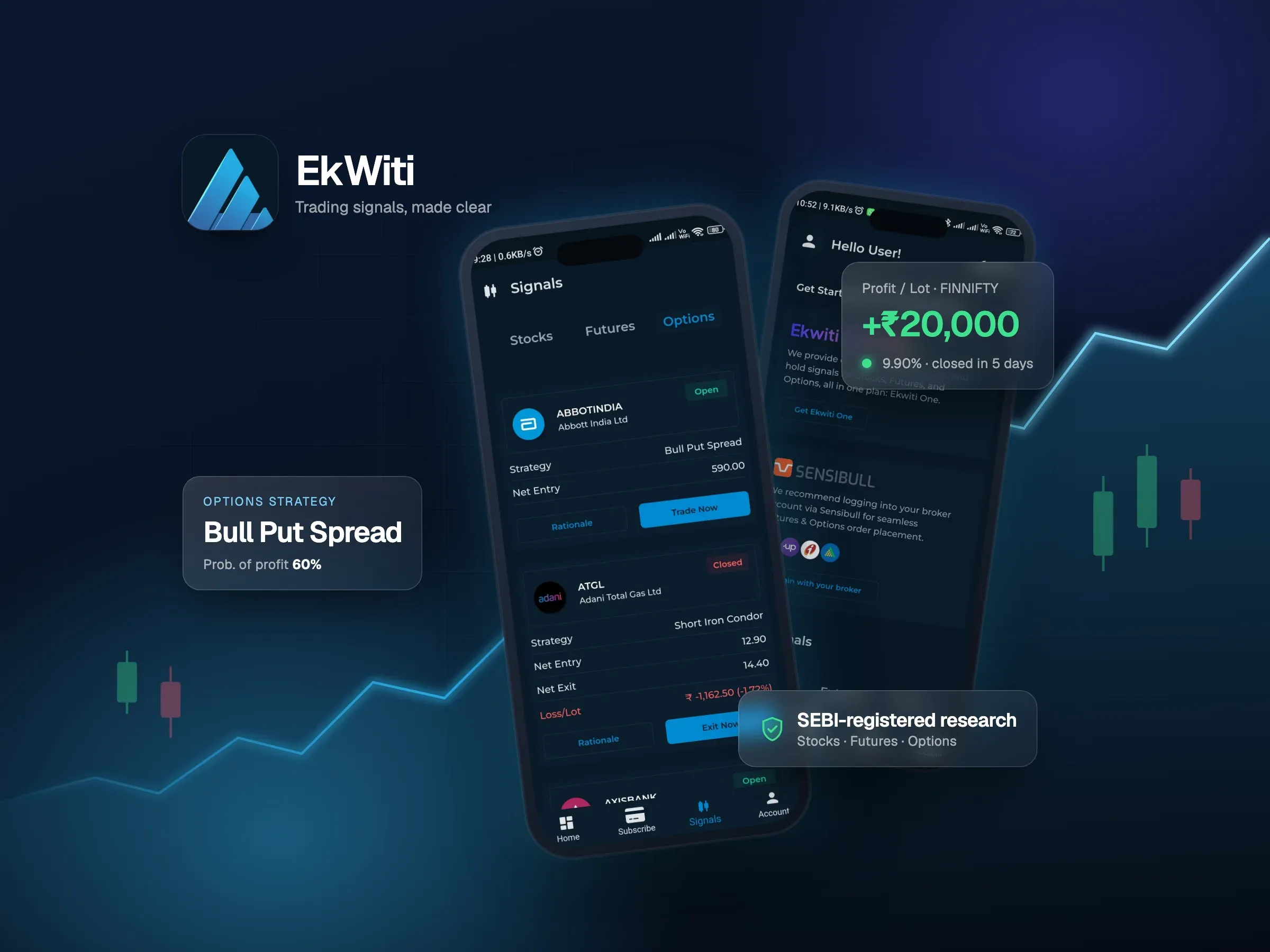
- EkWiti is a trading signals app built with FlutterFlow and Firebase. It delivers stock, futures and options signals, takes payments through RazorPay, and links strategies to Sensibull. Its companion admin panel is a FlutterFlow web app too, so the team manages signals, subscribers and revenue in the same toolset.
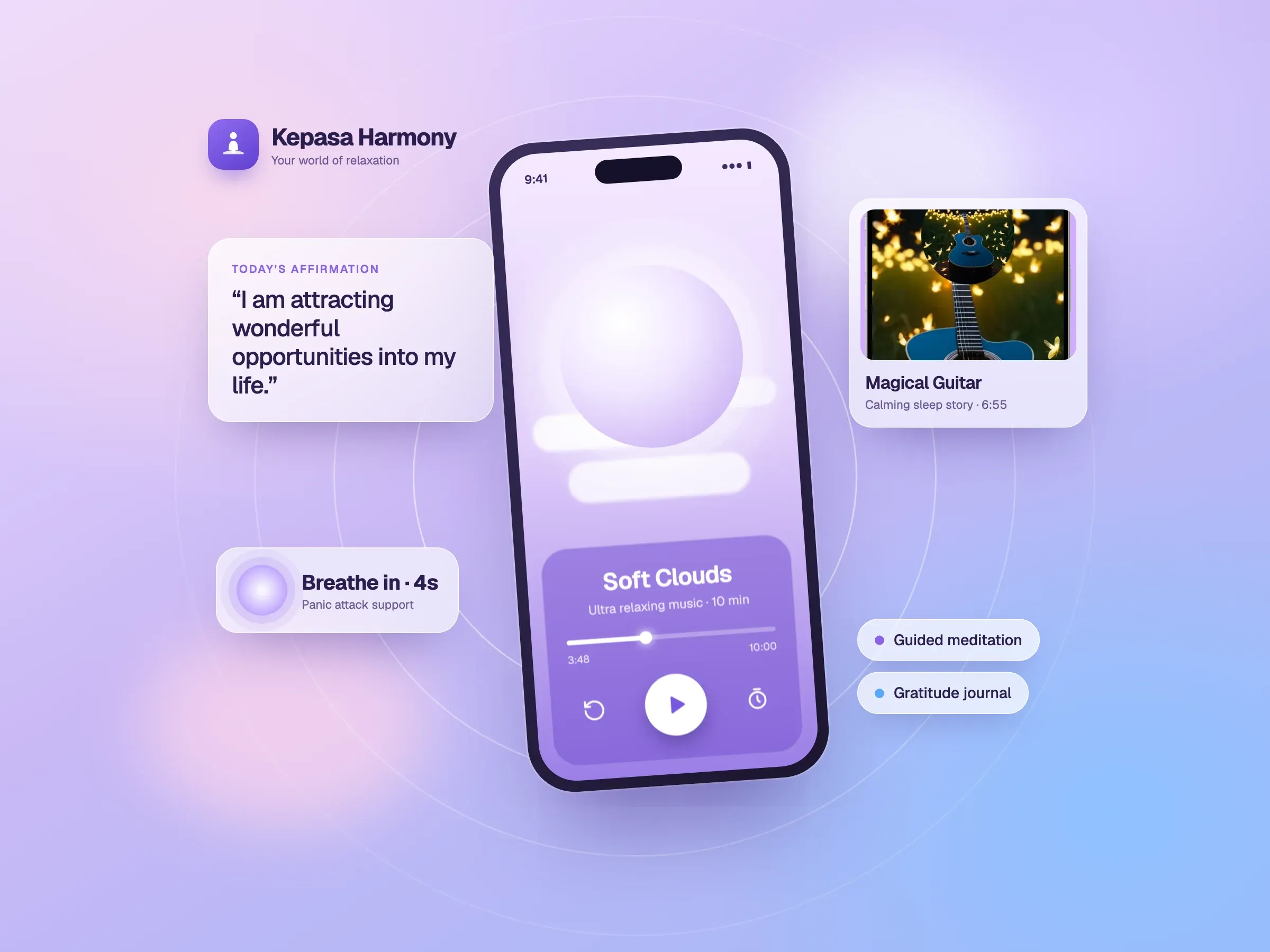
- Kepasa Harmony is a meditation and mental wellness app built with FlutterFlow and Firebase: guided meditations, sleep stories, affirmations and panic-attack support, with audio streaming, push notifications and in-app purchases.
For apps like these, FlutterFlow gets a polished product in front of users sooner, and the budget goes into content and features rather than hand-written screens.
When plain Flutter is the right call
Flutter wins when the hard part of the app isn’t the screens, but what happens behind them:
- Real-time features such as live bidding, chat or collaborative editing, where state changes constantly and every user must see the same thing.
- Custom interfaces and motion that don’t look like standard app components.
- Your own backend, when the app talks to a custom server and database rather than Firebase.
- Large teams and long lifetimes, where code review, automated testing and a clear architecture pay for themselves.
Two of our apps are plain Flutter:
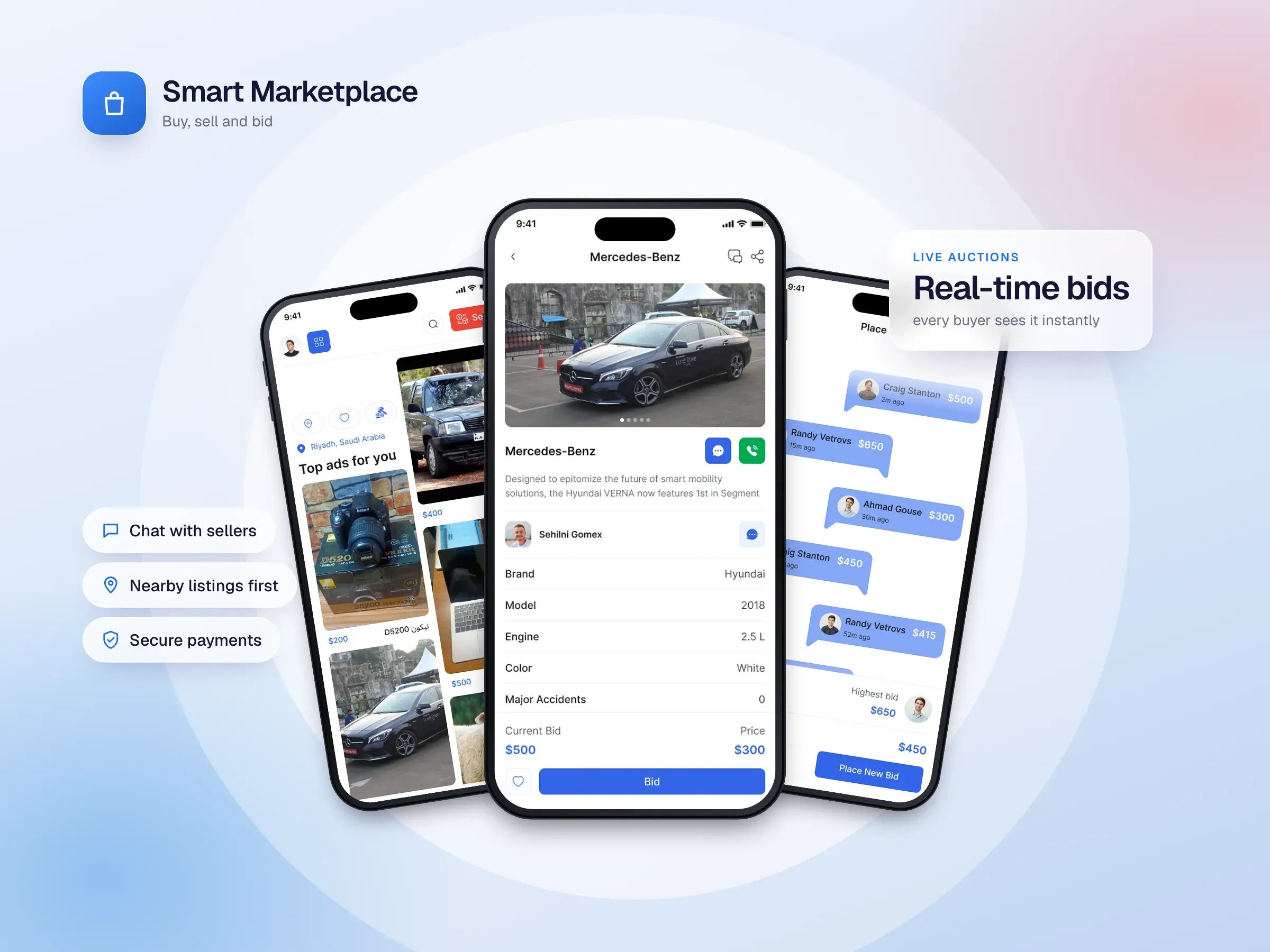
- Smart Marketplace lets people buy, sell and bid on items across many categories. Its live auctions run over Socket.IO with a Node.js backend, MongoDB and Redis caching on AWS, and the app manages state with GetX.
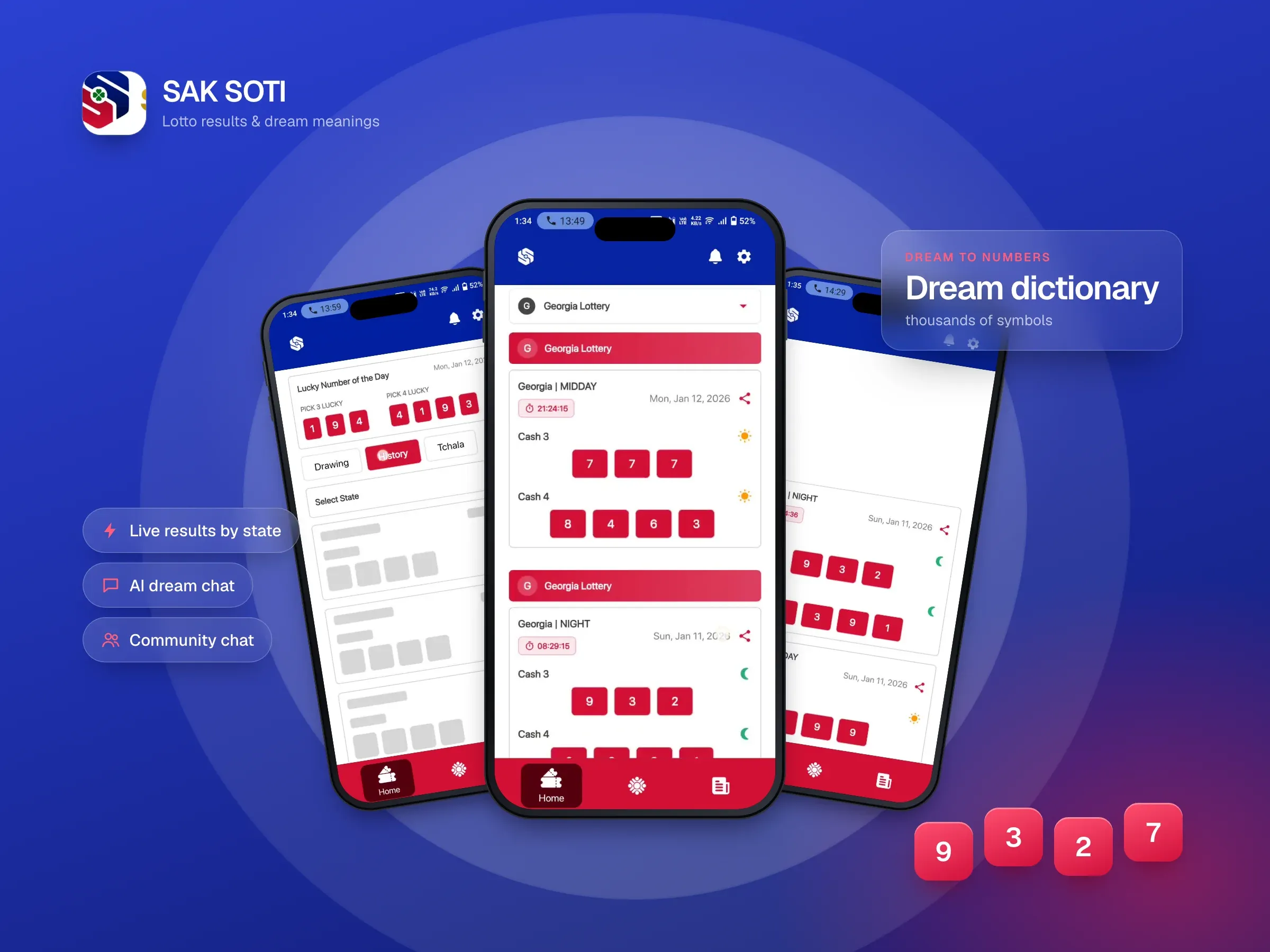
- SAK SOTI combines live lottery results, a dream dictionary, an AI dream-interpretation chat and a community chat over Socket.IO, fed by a Node.js backend that collects results automatically.
Both depend on real-time data and custom backends, which is where hand-written Flutter gives you the control you need.
The middle path: start visual, grow into code
You don’t always have to choose once. A common route is:
- Launch in FlutterFlow to validate the idea quickly with real users.
- Add custom code inside FlutterFlow for the few features the visual tools can’t handle.
- Move to plain Flutter when the app outgrows the builder, using the exported code as a starting point.
Two things to know before you plan on step 3. Exported code works, but it’s generated, so it usually needs restructuring before a team can maintain it comfortably. And once you edit the exported code by hand, you can’t keep designing that version in FlutterFlow. Treat the move as a one-way step and budget for it.
Questions that decide it
- Is the app mostly standard screens? FlutterFlow.
- Does it depend on live, shared data like bidding or chat? Flutter.
- Is your backend Firebase or Supabase? FlutterFlow fits naturally. A custom server leans towards Flutter.
- How soon do you need to launch, and on what budget? Tighter deadlines and budgets favour FlutterFlow.
- Who will maintain it? A large in-house team will want plain Flutter. A small team or an agency relationship works well with either.
If you’re still unsure, that’s normal. In a discovery call we look at your features, your backend and your plans for the next year or two, then recommend the approach that gets you to launch fastest without boxing you in later.
Common questions
Is FlutterFlow the same as Flutter?
No. Flutter is the toolkit, programmed in the Dart language. FlutterFlow is a separate product: a visual builder that writes the Flutter code for you. Every FlutterFlow app is a Flutter app, but plain Flutter gives you control that FlutterFlow’s visual tools don’t.
Can you export your code from FlutterFlow?
Yes, on paid plans you can download the generated Flutter code. It runs, but because it’s generated, expect to restructure it before a team maintains it by hand. Once you edit the exported code, that version can’t go back into FlutterFlow.
Do you need to know how to code to use FlutterFlow?
Not for standard screens connected to Firebase. Anything the visual tools can’t do, such as an unusual integration or complex logic, needs custom Dart code written inside FlutterFlow, and many production apps end up with some.
FlutterFlow or an AI app builder like Base44?
They aim at different results. AI app builders such as Base44 generate an app from a written description and run it on their own platform, which is quick for prototypes and internal tools. FlutterFlow produces a Flutter app for iOS, Android and the web that you publish to the app stores yourself. For a product you plan to grow, check how much of the code you own and how the app reaches the App Store and Google Play before choosing any builder.
Webflow or FlutterFlow?
Webflow builds websites; FlutterFlow builds apps. For a marketing site or a custom website, Webflow-style tools fit. For an app people install from the App Store or Google Play, FlutterFlow or Flutter.