AR/VRVR EducationEdTechMulti-platform XR
Inside a CellVR Biology Lesson
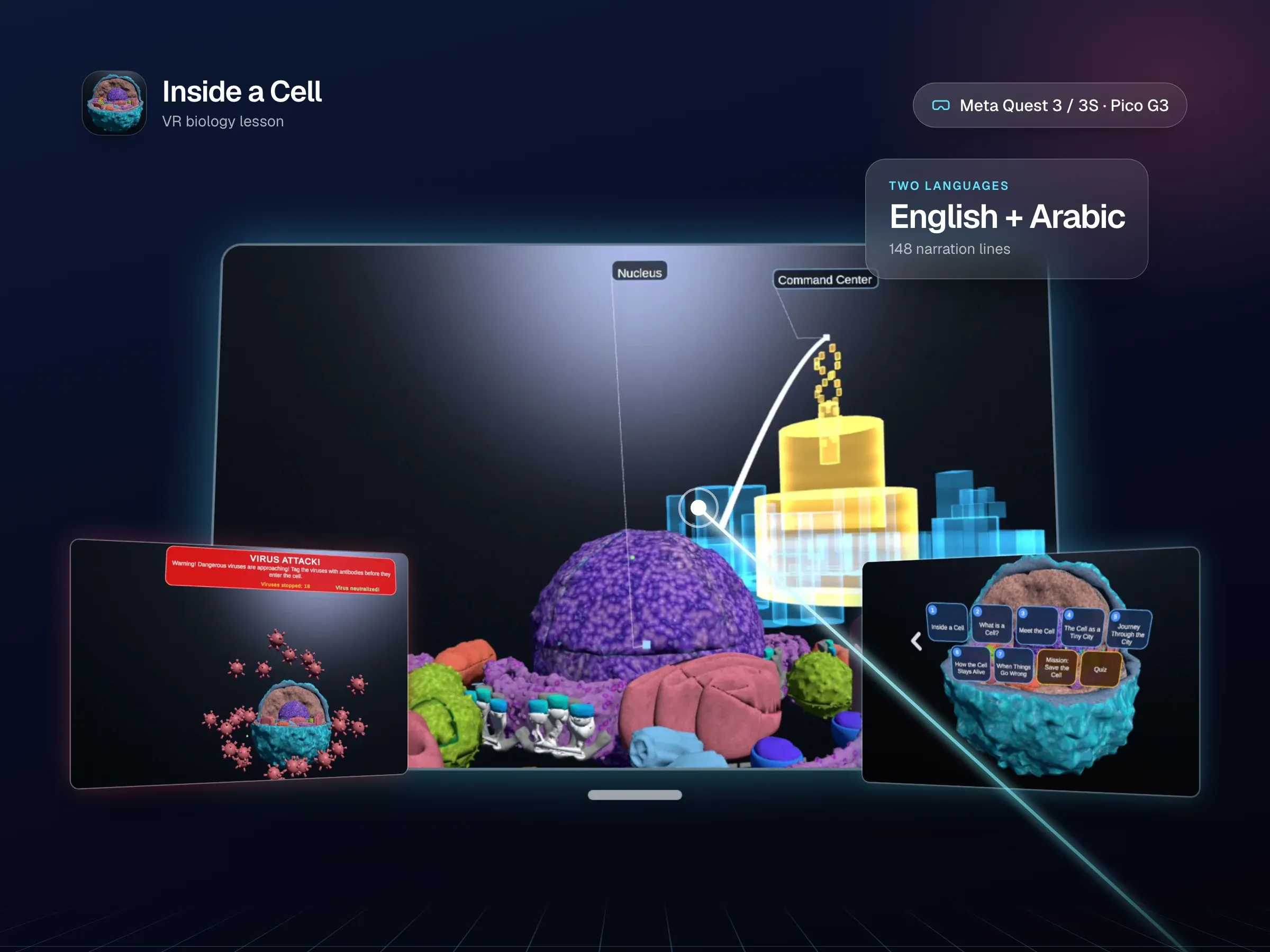
A VR biology lesson for schools: students fly through human skin into a single living cell, where a holographic city explains every organelle, a protein travels from DNA to the cell membrane and a virus invasion turns the lesson into a mission. Built for Meta Quest and Pico, narrated in English and Arabic.
- Category
- AR/VR
- Services
- Game & AR/VR Development
- Client
- Light Art VR
- Year
- 2026
- Built with
- Unity 2022.3 LTS, C#, XR Interaction Toolkit +12 more
Inside a Cell turns the hardest-to-picture topic in school biology into a place students can stand inside. The lesson opens on a full human body, then dives in one continuous flight through skin and tissue until a single cell fills their whole field of view. From there, six fully narrated chapters walk them through it: What is a Cell, Meet the Cell, The Cell as a Tiny City, Journey Through the City, How the Cell Stays Alive and When Things Go Wrong.
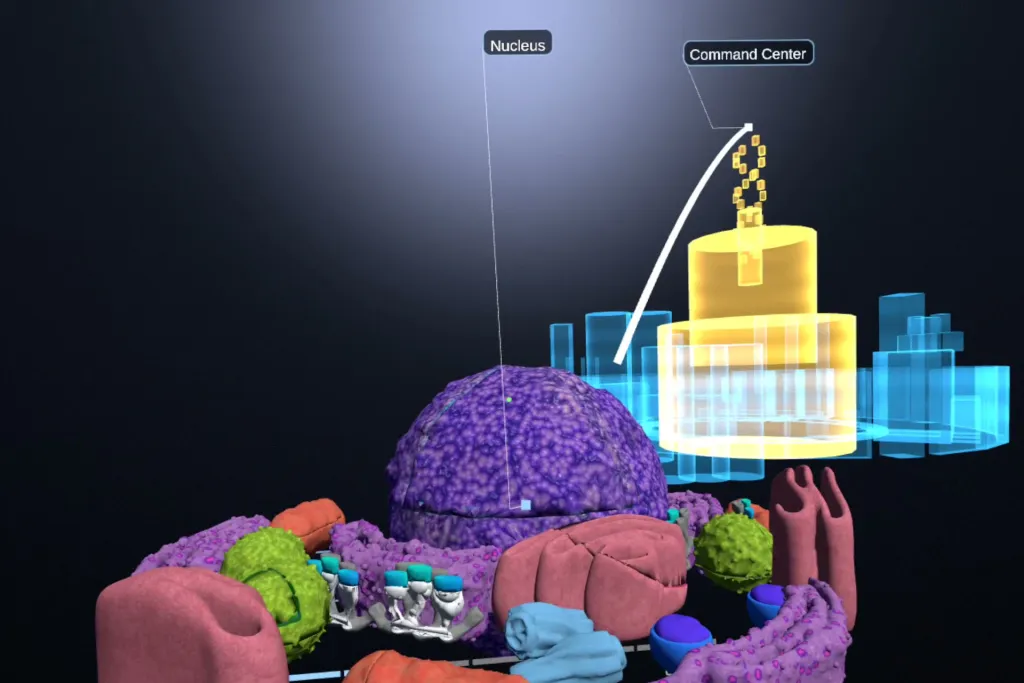
Every moment is choreographed: the camera glides along scripted paths, organelles glow exactly as the narrator names them, and floating labels stay readable from any angle. In The Cell as a Tiny City, a glowing holographic city hovers beside the real cell, and each organelle lights up together with its building twin, such as the nucleus and the command centre, the ribosomes and the factories, the Golgi and the shipping centre, linked by a beam of light. In Journey Through the City, students ride along as a protein is born: an mRNA strand leaves the nucleus, a ribosome assembles the protein, vesicles carry it through the ER and Golgi and release it at the membrane, all powered by ATP streaming from the mitochondria, while a tiny delivery truck runs the same route through the city.
Then the lesson becomes a game. In Mission: Save the Cell an alarm sounds and viruses close in from every direction, faster and faster, until a swarm of 32 breaks through. With the cell darkening, students must diagnose six failing systems from the inside and pick the organelle that brings each one back to life, before a visual quiz checks what they learned.
Everything is available in English and Arabic, from the interface to every narrated line, and the same lesson runs on Meta Quest with a controller and on Pico G3 classroom headsets with nothing but a glance and a button press. It was built for Light Art VR, which makes VR lessons for schools and learning venues, and delivered as a new module in the client’s live multi-module platform.
- 2 headsetsMeta Quest 3 / 3S and Pico G3, each with its own input model
- 2 languagesEnglish and Arabic, right to left, with every interface and quiz string translated
- 6 chaptersAbout 40 choreographed beats of camera, highlighting, labels and narration
- 148 narration lines74 per language, plus voiced right and wrong feedback in each
- 14 organellesIndividually highlighted and labelled on a detailed 3D cell
- 46 virusesPer mission, ending in a swarm of 32 on screen at once
- 15 questionsIn the quiz bank, with 10 drawn at random for each session
- 27 MBThe whole lesson, delivered as a downloadable content pack
See it in action
What makes it work
From body to cell in one breath: a continuous flight from the whole human body, through skin and tissue, into a single living cell
A lesson that directs itself: six narrated chapters and about 40 beats, each with its own camera move, glowing highlights, 3D labels and titles
The cell as a holographic city: every organelle lights up with its building twin, linked by a beam of light
Ride along with a protein: from DNA in the nucleus to the ribosome, through the ER and Golgi and out of the membrane, powered by streaming ATP
Mission: Save the Cell, with escalating virus waves, a 32-virus swarm, a red alarm banner and a soundtrack that turns the moment the cell is breached
Repair the cell from the inside: six failing systems to diagnose, each organelle springing back to life when the right one is chosen
Fully bilingual: English and Arabic, a right-to-left interface, a translated quiz, 148 narration lines and voiced right and wrong feedback
YouTube-style chapters: a slider whose segments match each part's real length in the chosen language, with skip and replay between beats
Any headset, any classroom: a controller ray on Meta Quest, glance and click with the headset button on Pico G3
Built for comfort and clarity: framed panels with glowing hover states, labels that never overlap and a cell that tilts so every part is in view
The challenge
Seven hard problems, in UX, input, localization, learning design, game design, performance and integration, and how each one was solved.
7 problems we had to solve, from UX design, interaction, content and more.
- 01 / 07UX design
Labels that never collide
Organelles sit at many different depths, so name labels overlapped or vanished inside the very structure they named. A custom angular label ladder fixes that: every label rides a fixed angle above the cell's silhouette and scales with distance, so each row reads the same size and stays put even when the student tilts their head.
- 02 / 07Interaction
One game, two ways to play
Quest players aim a controller; the client's Pico classrooms run around 30 headsets with no controllers at all. The lesson uses a single shared confirm for the headset button or the trigger, gaze aiming with a gentle aim assist on Pico, and a gaze dot that always sits on what the student is looking at, drawn above everything.
- 03 / 07Content
A true Arabic edition
Unity text needs right-to-left shaping, and every string and every narrated line needed an Arabic version. A shaping pass covers all interface and quiz text, an automated coverage check confirms 100 of 100 strings with zero missing glyphs, and a full Arabic voice track produced with ElevenLabs is loudness-matched to the English.
- 04 / 07Learning design
Pacing that follows the voice
Arabic narration runs longer than English, and explanations risked being cut off by the next question. The lesson measures its own narration in the chosen language: chapter lengths, slider segments and mission timing all follow it, and no line ever starts over another.
- 05 / 07Design
Thrilling, but no student ever fails
The brief ruled out failure, and the client still wanted real pressure. The answer is an escalating virus wave capped by an unstoppable 32-virus swarm, randomised answers every round, and clear results, such as viruses stopped and right first time, instead of abstract points.
- 06 / 07Performance
Rich visuals on a standalone headset
More than 40 live viruses, a holographic city and a detailed cell all run on mobile hardware. Lightweight unlit hologram shaders, only the seven landmark buildings instantiated, streamed music and MSAA for crisp edges keep it smooth, in a compact 27 MB content pack.
- 07 / 07Architecture
Plugging into a live commercial platform
The module had to load from device storage into the client's existing hub, licensing and platform tooling. It is delivered as a downloadable content pack, with repeatable editor builders for every scene change and automated play-mode captures at the client's 62.5° recording view for every review round.
7 of 7 solved
Seven of seven solved, and the lesson runs inside the client's live platform.
A closer look at Inside a Cell
Built with
- Unity 2022.3 LTS
- C#
- XR Interaction Toolkit
- OpenXR (Meta Quest 3 / 3S)
- Pico Unity XR SDK (Pico G3)
- Built-in Render Pipeline with custom holographic and overlay shaders
- AssetBundles (downloadable content pack)
- TextMesh Pro with Arabic right-to-left shaping
- World-space spatial UI
- Scripted camera paths and animated cell sequences
- Music director with crossfades and voice ducking
- ElevenLabs (Arabic narration, feedback voices, mission music)
- FFmpeg loudness normalisation
- Android / ADB on-device testing
- Automated play-mode capture in the Unity editor
Have a project like Inside a Cell?
Tell us what you want to build. You’ll get a free discovery call and a clear, written proposal.
More work like this
All projects