Meta Quest 3 for workplace training: what you can build
What Meta Quest 3 and 3S are good at for training, VR versus mixed reality, how to get apps onto headsets, and what changed when Meta ended its business program in 2026.
In short: Meta Quest 3 and Quest 3S are standalone headsets that suit hands-on workplace training: procedures with real equipment, dangerous or busy sites, and product training. Meta stopped selling its business edition on 20 February 2026, so companies now buy the standard headsets and install training apps through private release channels or a device-management platform.
Meta Quest 3 and the lower-priced Quest 3S have become the default headsets for VR training. They’re standalone, so there’s no PC or cable, and they’re affordable enough to buy several. This guide covers what they’re good at, what kinds of training they suit, and the practical questions of getting apps onto headsets, including what changed when Meta ended its business program in 2026.
Why Quest works for training
It’s standalone. The computer is inside the headset. A trainer can hand one to someone and they’re in the scenario within seconds, in a meeting room, on a shop floor or on site.
It sees the room. Quest 3 and 3S show the real world in colour through their cameras, called passthrough, so the same headset can do fully virtual scenes or mixed reality that adds digital objects to the real room.
Hands or controllers. People can use the controllers, with buttons and haptic feedback, or just their hands. Controllers are more precise for tool handling; hands are more natural for pressing, pointing and grabbing.
Quest 3 or 3S? Both run on the same chip, so most apps run on both. Quest 3 has sharper lenses and a depth sensor that helps mixed reality understand the room. Quest 3S costs less, which matters when you’re buying a fleet.
What kinds of training suit it
Procedures with real equipment
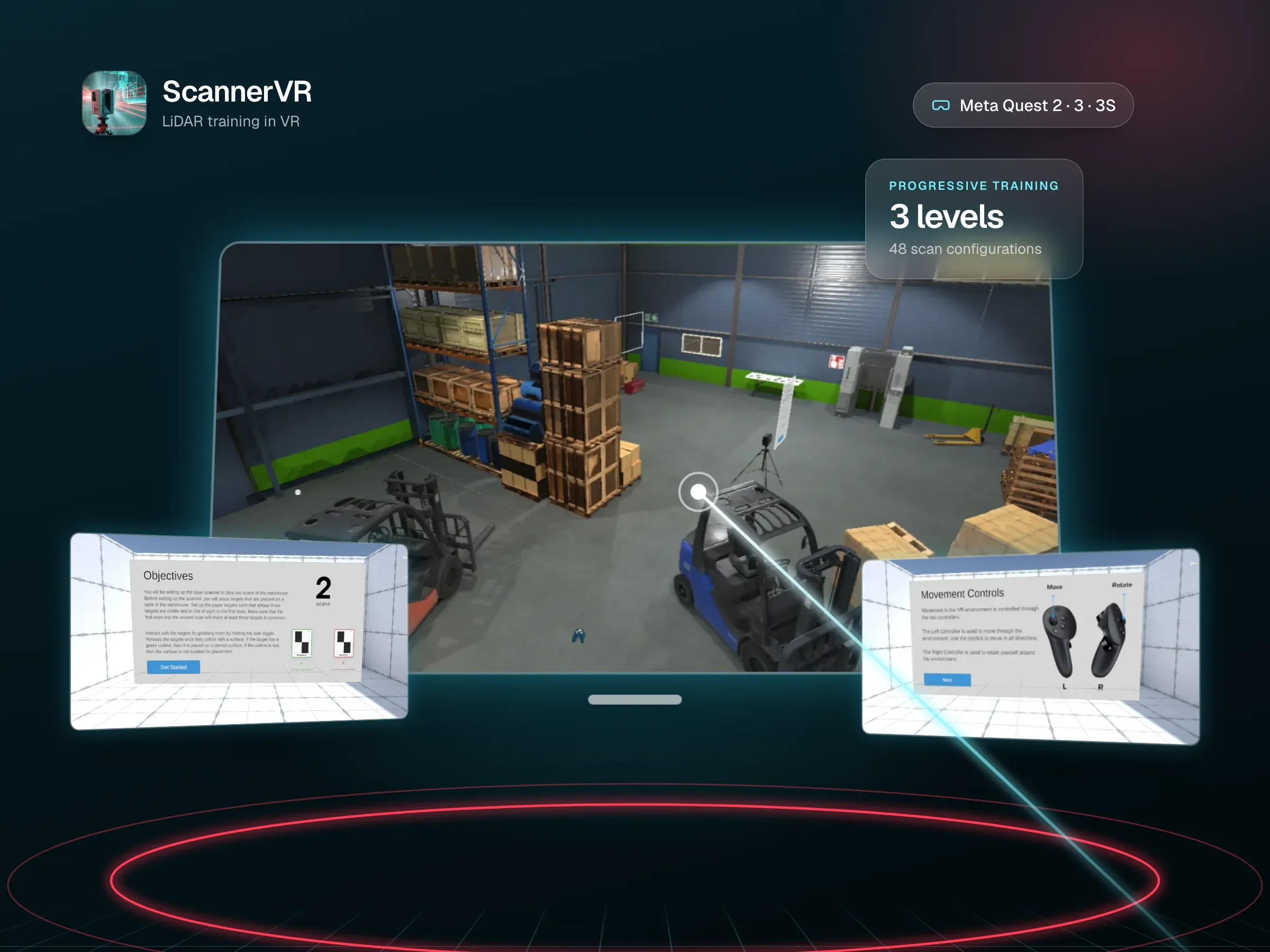
Training that follows a sequence with physical tools is a strong fit: the trainee picks things up, puts them in the right place and operates them in the right order. ScannerVR is a good example. It teaches a professional LiDAR scanning workflow on Quest: trainees grab targets and snap them to warehouse walls, position a tripod-mounted scanner, and complete a first and second scan that each need to see at least three targets before a point cloud is generated. Every session exports the time taken, scan coverage and targets used.
Hazardous or busy environments
Places that are dangerous, crowded or expensive to shut down, like warehouses, plant rooms and construction sites, can be rebuilt in VR so people learn their way around and practise safely. ScannerVR’s three levels add obstacles like crates, pallets, barrels and forklifts, which force trainees to think about where they position the scanner.
Training in your own space
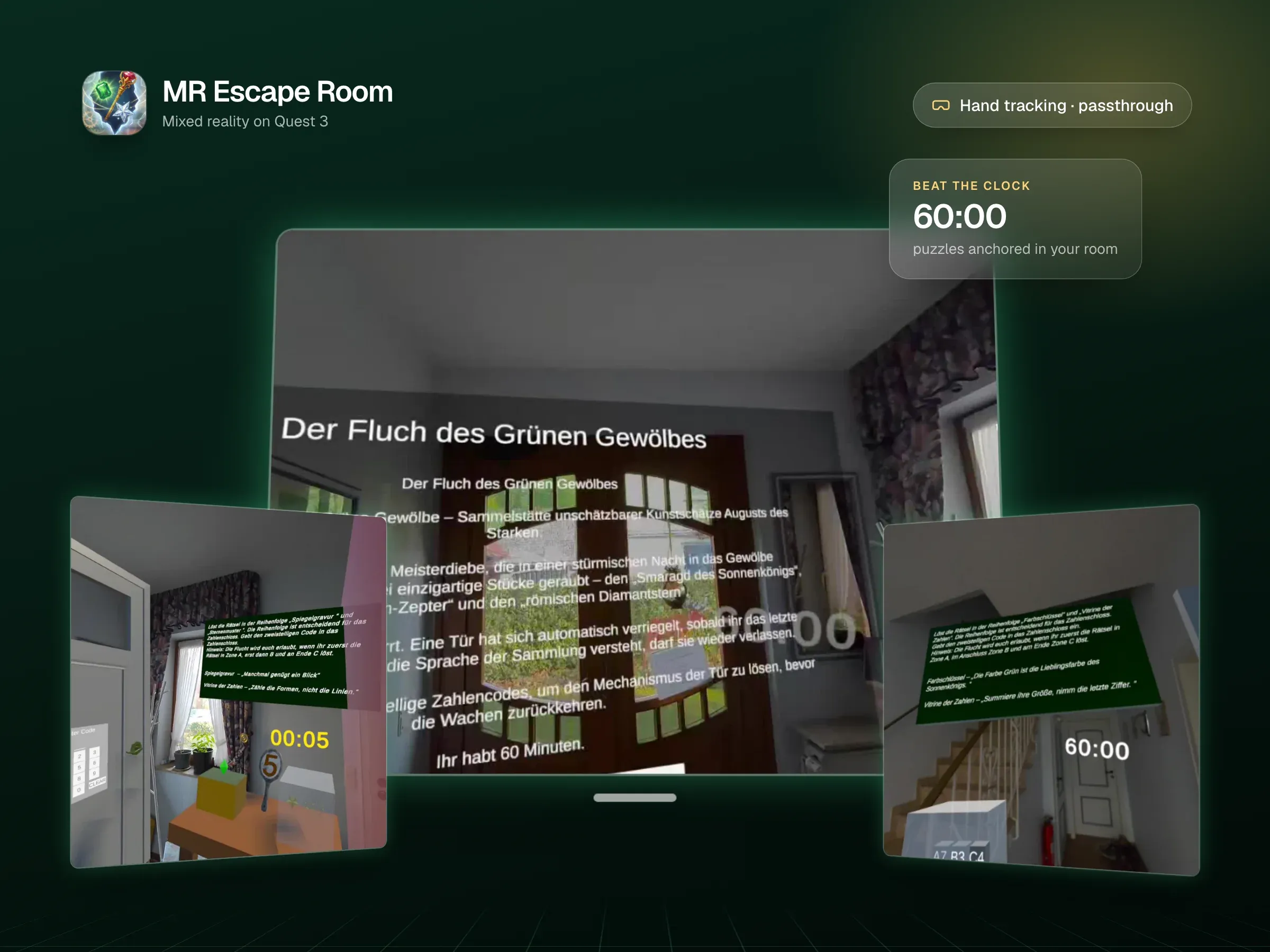
Mixed reality keeps the real room and adds to it. That suits training that should happen where people actually work, or group activities in a normal room. MR Escape Room shows the building blocks on Quest 3: passthrough, spatial anchors that keep virtual objects where they were placed, and hand tracking so people can reach out and touch things.
Product and sales training
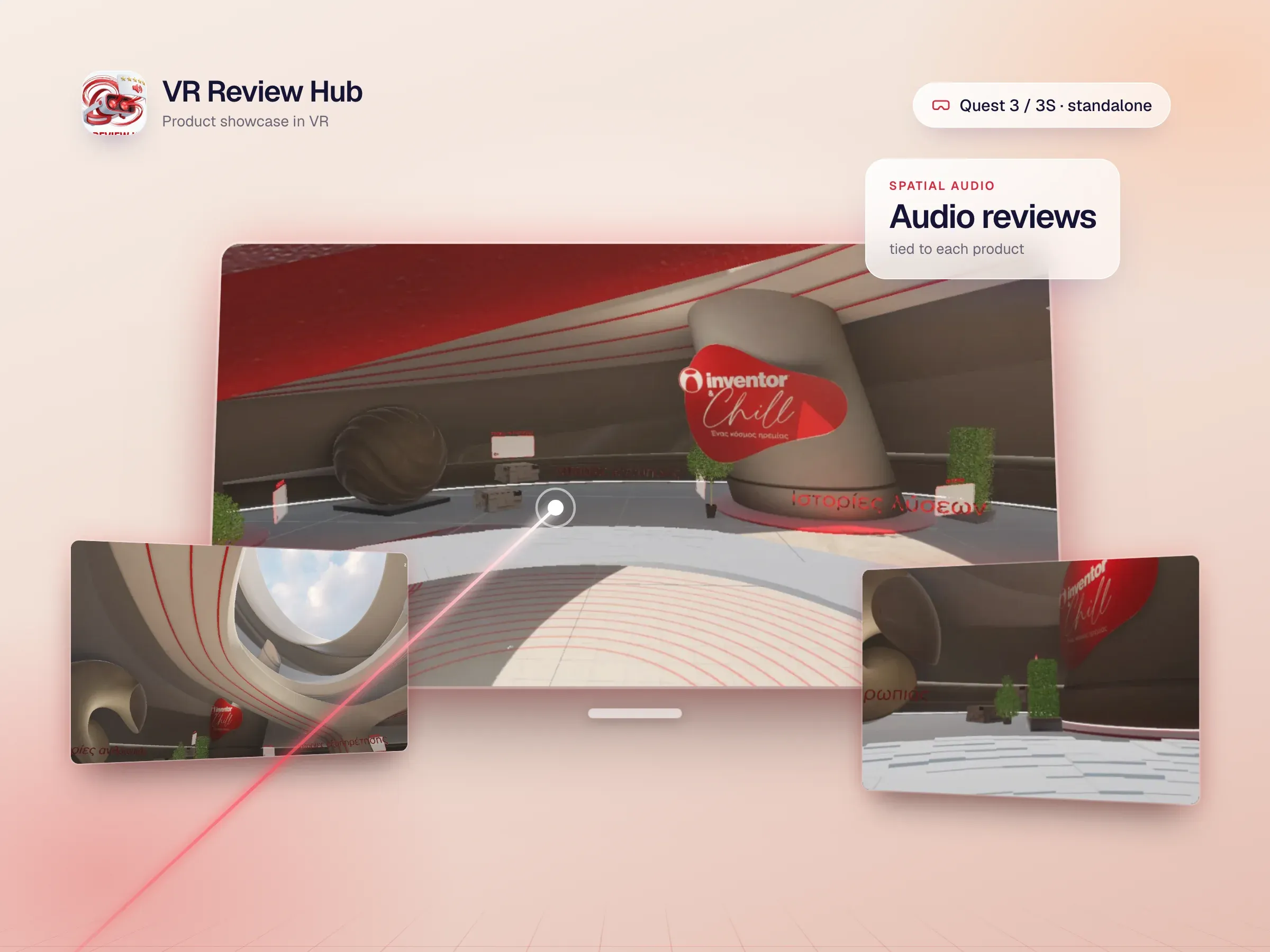
Sales teams and customers can explore a product at full scale, open it up and hear how it works. VR Review Hub is a photoreal product showroom for Quest 3 and 3S, with audio reviews tied to each product and 3D menus people grab and rotate.
What to design for
- Comfort. Keep the frame rate steady and movement gentle. ScannerVR holds 72 fps on a standalone Quest, using baked lighting.
- Short onboarding. Many trainees have never worn a headset. A minute of guided practice on moving and grabbing saves a lot of confusion.
- Session length. Short, focused scenarios work better than long ones, especially for first-time users.
- Hygiene and sharing. Plan for face covers, cleaning and charging between users when headsets are shared.
- Data. Decide early what you need to record, such as time on task, steps completed and errors, and where it should go.
Getting apps onto the headsets
There are two main routes:
- The Meta Horizon Store. For apps you want the public to find and download. In 2024 Meta merged App Lab into the Horizon Store, so it’s now a single storefront that doesn’t reject apps on taste, only on basic technical, content and privacy requirements. (UploadVR)
- Release channels. For internal training, you can invite specific people to a private release channel so only they can install the app. (Meta developer docs)
What changed in 2026: Meta’s business program
For years Meta sold a business version of Quest with device management, most recently called Meta Horizon managed services. On 15 January 2026 Meta announced that from 20 February 2026 it would stop selling Horizon managed services and its commercial Quest headsets, make the management licences free, and keep supporting existing Quest 3 and 3S customers until 4 January 2030. (Meta, UploadVR)
In practice:
- If you already use it, your managed headsets keep working, and support continues until January 2030.
- If you’re starting now, you’ll buy standard consumer Quest 3 or 3S headsets and choose how to manage them. For a handful of headsets, release channels and a simple checklist are often enough. For larger fleets, third-party XR device-management platforms can handle installs, updates and kiosk-style lockdown.
None of this changes how training apps are built. It only changes how headsets are bought and managed, so it’s worth settling before you order hardware.
A checklist before you start
- Which task will the first scenario train, and how will you judge success?
- Full VR, or mixed reality in the trainee’s own room?
- Hands, controllers or both?
- How many headsets, and who will charge, clean and update them?
- Public store release or private release channel?
- What data should each session record, and where should it go?
If you can answer those, you’re ready to scope a Quest training app. If not, that’s what a discovery call is for.
Common questions
Is there still a Meta Quest for Business?
Not for new customers. Meta stopped selling Horizon managed services and its commercial Quest headsets on 20 February 2026 and made the management licences free. Existing Quest 3 and 3S business customers are supported until 4 January 2030.
How do you deploy training apps to Meta Quest headsets across a company?
For a small group, use a private release channel: you invite people, and only they can install the app. For a larger fleet, an XR device-management platform installs and updates apps on every headset and can lock them to the training app. Either way, decide this before you order hardware.
Can you use Meta Quest 3 for office work?
Partly. Microsoft’s Mixed Reality Link, generally available since October 2025, lets Quest 3 and 3S show several virtual monitors from a Windows 11 PC or a Windows 365 Cloud PC. (Microsoft) Meta’s own VR meeting app, Horizon Workrooms, was discontinued in February 2026. (Meta)
Quest 3 or Quest 3S for training?
Most apps run on both. Choose Quest 3 when mixed reality or sharp text matters, because of its clearer lenses and depth sensor; choose Quest 3S when you’re buying many headsets and the training is fully virtual.